

Launching a profitable online course can feel messy until you pick the right tools. This guide helps US-based course creators cut through the noise and choose a system that fits their business and budget.
We compare real products — Kajabi, Thinkific, Teachable, LearnWorlds, Podia, Kartra, Systeme.io, Circle, LearnDash, LifterLMS, and MasterStudy — and explain when marketplaces like Udemy, Skillshare, or Coursera make sense.
The eLearning market is booming and will hit big numbers by 2026. You’ll see how options differ on building lessons, payments, email, funnels, communities, apps, and student experience so you can align features to goals.
We also summarize pricing, trials, and fees so you know real monthly costs before you commit. By the end, you’ll have a clear path to create courses, pre-sell, and enroll beta students with less tech stress.
Key Takeaways
- Compare all‑in‑one suites, dedicated hosts, WordPress LMS plugins, and marketplaces.
- Match features to your business: payments, email, funnels, and community tools.
- Watch true costs: monthly rates, trials, and transaction fees matter.
- Marketplaces give exposure; hosted systems give control.
- Follow a quick‑launch plan to validate, pre‑sell, and iterate fast.
Why choosing the right course platform matters for creators in the United States
Picking the right system shapes your brand, student experience, and profit margins. For US sellers, payment gateways, state tax rules, and Stripe/PayPal flows make platform choices practical, not just technical.
All‑in‑one suites reduce juggling third‑party tools. They bundle marketing tools, email marketing, checkout, and community in a single login so you spend less time wiring integrations.
Dedicated hosts focus on teaching features like quizzes, certificates, and progress tracking. That focus often raises completion and satisfaction rates for students.
WordPress LMS options give you full ownership on your domain. Expect more control — and more maintenance for hosting, updates, and plugins.

| Type | Strengths | Tradeoffs |
|---|---|---|
| All‑in‑one suites | Built‑in funnels, email, checkout, community | Higher monthly cost; less deep teaching tools |
| Dedicated hosts | Assessments, certificates, learner experience | May need extra marketing integrations |
| WordPress LMS | Full control, custom branding, no platform lock | Requires technical setup and maintenance |
| Marketplaces | Instant traffic and trust | Revenue share, limited pricing and data access |
Match the stack to how you plan to sell — one‑time purchases, bundles, subscriptions, or memberships. Aim for the simplest setup that covers the features you need for the next 6–12 months to avoid costly migrations later.
How we evaluated the best platforms to create and sell online courses
We ran hands‑on tests to judge real usability and results. Each test mimicked a live launch: lessons, sales, reporting, and scale. The goal was practical — find tools that speed up course creation and growth for US creators.

Course creation and student experience
We built lessons with video, PDFs, quizzes, and drip schedules. Enrollment flows and mobile playback were checked for friction.
Student checks included assignments, certificates, and progress tracking to measure completion and satisfaction.
Marketing tools, sales funnels, and monetization
We tested built‑in email marketing, landing pages, and sales funnels for conversion ease.
Monetization tests covered one‑time payments, subscriptions, bundles, and memberships to see which models each tool supports.
Pricing, free trials, and transaction fees
Plans were compared by base monthly cost, availability of a free trial, and platform‑level transaction fees.
We also verified integrations: Stripe, PayPal, analytics, and Zapier for real commerce workflows.
“We aimed to find tools that balance ease with the power to launch and scale a real business.”
| Test area | What we did | Why it matters |
|---|---|---|
| Content build | Video, PDF, quizzes, drip | Shows real course creation speed and organization |
| Student UX | Playback, mobile, certificates | Drives completion and retention |
| Marketing | Email, funnels, landing pages | Impacts sales velocity and automation |
| Pricing | Plans, free trial, transaction fees | Determines true monthly cost to scale |
online course platform
A central hub that handles hosting, media, and checkout saves time and reduces technical headaches.

Most systems bundle the basics you need to run classes and accept payments.
- Build lessons, upload videos, and organize modules with drag‑and‑drop editors.
- Host pages and media so you skip separate web or video hosting services.
- Use built‑in quizzes, assessments, and drip schedules to keep learners on track.
- Accept payments via Stripe and PayPal with native checkout and coupons.
- Publish landing pages and basic email campaigns without extra tools.
Some vendors act as all‑in‑one suites, adding funnels and email automation. Others focus on teaching tools and pair well with your website or CRM.
“Pick a stack that matches how you sell: an integrated set up speeds launch; a dedicated host fits a preexisting site.”
| Feature | Typical Benefit | When to choose |
|---|---|---|
| Hosting (pages & video) | Simplifies delivery and reduces costs | New creators or small teams |
| Assessments & drip | Boosts completion and engagement | Instructional programs and cohorts |
| Payments & coupons | Smooth checkout and promos | Sellers focused on revenue |
| Email & landing pages | Faster launches without extra software | Creators who want fewer integrations |
For many US creators, choosing the right course platform or course software boils down to whether you want a single vendor to handle everything or a teaching tool that plugs into your existing stack.
All‑in‑one course platforms: build, market, and sell from one place
All‑in‑one suites group content delivery, email, payments, and funnels into a single app. That reduces integration work and can speed your first launch.

Kajabi: premium suite with email marketing, funnels, and live events
Kajabi offers polished templates, native video hosting, communities, assessments, certificates, and mobile apps. Plans run from $89 to $399 per month and include no platform transaction fees.
Creator Studio helps repurpose videos into clips and posts to boost promotion across social channels.
Kartra: budget‑friendly all‑in‑one with CRM, helpdesk, and analytics
Kartra bundles CRM, helpdesk, webinars, funnels, email, analytics, and a marketplace under one subscription. Pricing starts around $99 per month with a $1 trial.
Expect a steeper learning curve and a more limited site builder, but strong agency and marketplace features can speed scaling.
Systeme.io: affordable stack with funnels, email, and course hosting
Systeme.io is an entry point for creators on a budget. A free tier and plans up to $97 per month provide funnels, email automation, and straightforward course hosting.
It trades design depth for simplicity, which is ideal if you prefer fewer moving parts.
“If you want to avoid stitching together ClickFunnels, ConvertKit, and Zoom, an all‑in‑one can be the fastest route to launch.”
| Tool | Key strength | Starting price (per month) |
|---|---|---|
| Kajabi | Polished templates, native hosting, live events | $89 |
| Kartra | CRM, helpdesk, analytics, marketplace | $99 |
| Systeme.io | Free tier, simple funnels, affordable hosting | $0 |
Bottom line: all‑in‑ones centralize delivery, email marketing, landing pages, and sales funnels to cut tool sprawl. Compare per month costs to the total for separate tools and see which setup gives you the features you need without extra complexity.
For a deeper comparison and to decide if you truly need an online classroom, review pricing and trial options before committing.
Dedicated online course platforms for teaching first, marketing second
If teaching quality matters more than marketing bells, dedicated systems put learning first.

Thinkific
Thinkific focuses on assessments, certificates, and a clean player. Paid plans run about $49–$199 per month and include a 14‑day free trial.
Thinkific removes platform transaction fees on paid plans and handles US/CA sales tax plus EU/UK VAT when you use their payments. It also supports bundles, order bumps, and coupons.
Teachable
Teachable aims for speed. Setup is fast, and you can publish unlimited courses and students on paid tiers.
Plans range roughly $59–$249 per month. Built‑in payments simplify checkout, though legacy free tiers once charged transaction fees.
LearnWorlds
LearnWorlds stands out for interactive video, social learning, and branded mobile app publishing.
Pricing spans $29–$299 per month with a 30‑day trial and strong templates for lesson design and course materials.
Podia
Podia keeps things simple. It supports memberships, digital downloads, and has zero platform transaction fees on paid plans.
Plans run about $39–$89 per month. Advanced assessments are limited, but the storefront and membership tools are clean and friendly.
Bottom line: These teaching‑first options integrate with your email, CRM, and analytics. If you already use dedicated marketing tools, pick a host that focuses on student experience and deep assessments over bundled funnels.
Community‑first platforms to boost engagement and completion
Building learning around community flips engagement: learners stay because they belong, not just because of the lessons.

Circle turns groups into the core of learning. It prices plans from $99 to $399 per month and uses Spaces to host self‑paced, structured, or scheduled formats. That makes it simple to run cohorts, ongoing programs, or evergreen groups.
Features like native livestreaming, quizzes, comments, gamification (leaderboards, badges), and automations drive peer accountability. These tools help members stay active and finish faster.
Circle supports video uploads, PDFs, templates, and resource libraries. You can enforce video completion, enable threaded discussions, and auto‑advance learners through modules.
“When connection is the product, peer feedback and live events become the engine of growth.”
| Area | What Circle offers | When it fits |
|---|---|---|
| Community & engagement | Spaces, comments, gamification, native livestreaming | Cohorts, mentorship, membership models |
| Learning formats | Self‑paced, structured, scheduled Spaces | Flexible delivery and cohort scheduling |
| Mobile access | iOS and Android apps | Members who learn on the go |
| Assessment & certification | Quizzes and progress checks; no formal certificates | Good for engagement-focused programs, not formal accreditation |
Marketing tools here are lighter than full suites. Pair Circle with your favorite funnel and email tools for best results.
Ideal for US course creators: those whose main goal is connection, peer learning, and community‑powered outcomes rather than formal credentials.
WordPress LMS options if you want full control on your own site
For creators who want deep customization, WordPress LMS plugins unlock powerful options.
LearnDash: best‑in‑class LMS plugin for WordPress
LearnDash is known for robust learning features, detailed reporting, and many add‑ons. Pricing is about $199/year per site.
LifterLMS and MasterStudy: alternatives for different budgets
LifterLMS aims at enterprise features and runs around $360/year. MasterStudy is a budget option: the theme starts near $55 and pairs with extensions.
These plugins let you host learning on your own domain and control security, backups, and performance. You will manage hosting, updates, and add‑ons for payments, memberships, and landing pages.
“If you value independence and fine‑grained control, a WordPress setup can be the best long‑term fit.”
| Plugin | Strength | Typical cost (year) |
|---|---|---|
| LearnDash | Advanced features, reporting, add‑on ecosystem | $199 |
| LifterLMS | Feature rich, strong membership tools | $360 |
| MasterStudy | Budget friendly, easy theme pairing | $55+ |
Want a comparison to decide if this route fits your needs? See a curated list of top options that match different budgets and goals.
Marketplaces vs. platforms: why most creators avoid revenue‑share models
Marketplaces offer instant visibility, but that reach often comes with steep revenue splits.

When Udemy, Skillshare, and Coursera fit your plan
These sites can surface a new topic fast. They help you validate demand and collect reviews without a big ad budget.
Use them for low‑price samplers, lead magnets, or to funnel learners into a premium offer you control. For creative skills, Skillshare often finds an audience. Udemy works for broad, practical topics. Coursera suits academic or partner‑led programs.
Why revenue cuts and limited control can hurt your brand
Marketplaces frequently take large cuts and restrict pricing. That reduces margins on sales and limits promotions you can run.
They also hide learner data, which blocks follow‑up, retargeting, and long‑term relationship building. Ratings and algorithms decide visibility too, not your brand voice.
- Pros: fast discovery, built‑in trust, low setup friction.
- Cons: revenue share, price limits, limited learner data, rating‑driven visibility.
“Treat marketplaces as top‑of‑funnel tools — not the home for flagship programs.”
| Use case | Best fit | Primary trade‑off | Recommended action |
|---|---|---|---|
| Discovery & validation | Udemy, Skillshare | High revenue share; limited pricing | Publish low‑ticket samplers; capture emails |
| Academic or credentialed programs | Coursera partners | Rigorous approvals; shared branding | Partner for reach; keep flagship offers owned |
| Creative skill demos | Skillshare | Subscription revenue model; less price control | Use for ongoing visibility and portfolio growth |
| Lead generation | All marketplaces | Limited learner data | Drive traffic to owned site or mailing list |
One thing to remember: blend marketplace reach with a site you control. That preserves margins, protects brand equity, and helps you build a direct relationship with learners over time.
Key features course creators should look for before they get started
Start by checking which features will actually move the needle for your learners and sales. Pick tools that fit your delivery style, price model, and growth plan.

Online builder, quizzes, assignments, and certificates
Make sure the course builder handles diverse course materials — video, audio, PDFs, quizzes, and assignments. Thinkific, LearnWorlds, Kajabi, and Teachable all support assessments and certificates that boost completion and credibility.
Email marketing, landing pages, and sales funnels
Built‑in email marketing and landing pages save time. If funnels are available you can run launches without extra tools. Choose a system with simple automation to tag learners and send targeted sequences.
Payments, checkout, coupons, and affiliate program
Prioritize Stripe and PayPal support, clear checkout flows, coupons, bundles, and order bumps. An affiliate program helps scale reach by rewarding promoters. Confirm tax handling for US sales before you launch.
Mobile app access, community, and live events
Mobile app access (Kajabi, Thinkific, LearnWorlds, Circle) keeps learners engaged. Community spaces and live events drive accountability and retention. Look for analytics, progress tracking, and easy data export so you can integrate with your CRM as you grow.
“Choose the features that match your delivery and revenue goals; the right stack reduces friction and speeds launches.”
For a quick checklist and launch playbook, see this practical guide: course creator secrets.
Pricing breakdown: per month costs, free plan, free trial, and hidden fees
Budgeting for a teaching stack means more than a sticker price; it reveals the true cost to run and scale your offering.
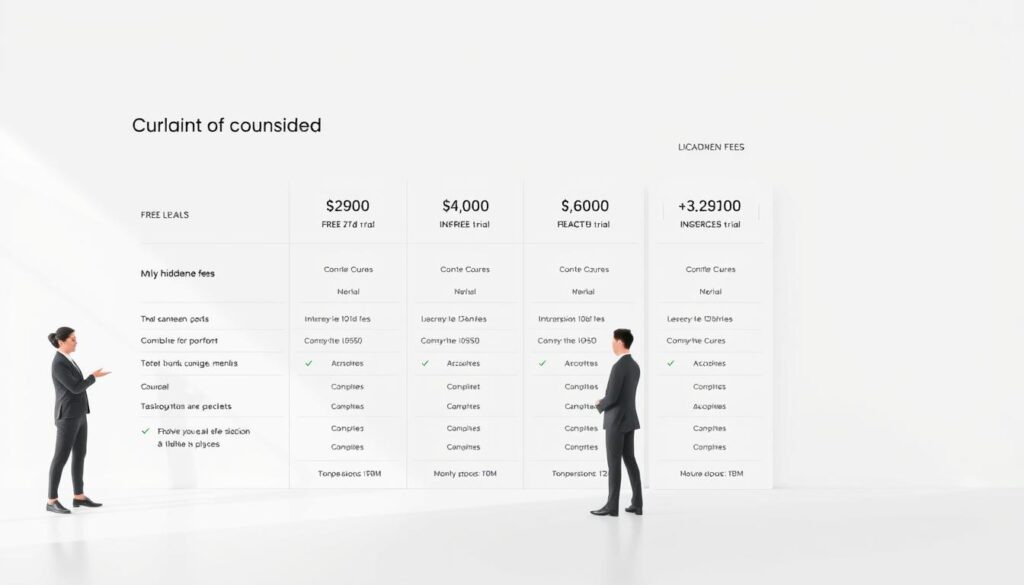
Headline rates show typical per month ranges: Kajabi $89–$399, Thinkific $49–$199, LearnWorlds $29–$299, Teachable $59–$249, Podia $39–$89, Kartra $99–$549, Systeme.io $0–$97, Circle $99–$399.
Free plan and free trial options across providers
Use a free plan or free trial to test the builder, checkout, and learner view before you migrate. Systeme.io and Podia offer low‑cost entry; Thinkific, LearnWorlds, Teachable, and Kartra provide trials to vet features.
Transaction fees, payment processing, and taxes
Platform transaction fees vary. Some paid tiers remove platform fees, but payment processors still take their cut. Check whether the vendor handles US/CA sales tax or EU/UK VAT—Thinkific can manage those when you use their payments.
- Compare headline per month pricing to the cost of replacing email, funnels, webinars, and CRM.
- Watch feature gating: advanced tools often live on higher tiers and raise real costs.
- Look for annual discounts and watch overages on contacts, emails, or videos as you scale.
“A low monthly price can still mean high operating costs once you add required add‑ons and overages.”
Best picks by scenario: match your goals to the right platform
Match the tool to your business goals, not the other way around. Your choice should reflect whether you want to sell a variety of digital products, automate growth, move fast, or optimize learning outcomes.

Want to sell digital products beyond courses
Kajabi is built for creators who want to sell coaching, downloads, communities, newsletters, and podcasts along with an online course. It bundles storefronts, membership areas, and publishing tools so you can create sell and deliver multiple product types from one account.
Need advanced features like pipelines and automations
Kartra shines when you need CRM, helpdesk, advanced funnels, and automation pipelines tied to sales and support. Use it when growth depends on segmented sequences, cart flows, and ticketing inside the same system.
Prefer ease of use to deep customization
Podia and Systeme.io prioritize simplicity. Both let you set up memberships, digital downloads, and basic funnels quickly with minimal setup and few moving parts.
Other fits to consider:
- Thinkific or LearnWorlds for strong assessments and certificates.
- Circle for community‑first programs with livestreaming and gamification.
- LearnDash or LifterLMS on WordPress for total control and custom workflows.
Tip: Map your 12‑month roadmap and weigh time to launch versus technical appetite. Migrations take time, so pick the option that fits both your near‑term needs and long‑term growth.
Thinkific spotlight: ease of use, assessments, bundles, and scale
Thinkific’s tools speed up curriculum design so you spend more time teaching and less on setup. The refreshed UI and AI helpers speed outline and quiz creation.
It supports videos, PDFs, presentations, and rich assessments. Robust quizzes, surveys, and certificates make it a solid choice for professional programs and credentials.
Monetization is flexible: product bundles, order bumps, coupons, and an app store for email marketing and analytics integrations ease growth.
Thinkific plans run about $49–$199 per month and include a 14‑day trial. Paid tiers remove platform transaction fees, which helps protect margins as enrollments scale.
Tax and payments: when you use Thinkific Payments the system can handle US/CA sales tax and EU/UK VAT, reducing back‑office work.

“A great balance of power and usability for creators focused on teaching quality and outcomes.”
- AI outlines and quiz helpers speed course creation.
- Supports diverse media and strong assessment tools.
- No platform transaction fees on paid plans helps margins.
| Area | What Thinkific offers | Why it matters |
|---|---|---|
| Course builder | Modern UI, AI features for outlines and quizzes | Faster course creation and clearer lesson flow |
| Assessment & certification | Quizzes, surveys, certificates | Improves completion and program credibility |
| Monetization | Bundles, order bumps, coupons | Flexible offers and higher average transaction value |
| Payments & taxes | Thinkific Payments handles US/CA tax and EU/UK VAT | Less manual tax work for US sellers |
Kajabi spotlight: everything you need to create, market, and grow
Kajabi packs design, delivery, and marketing into one polished workspace for creators.

Think of it as a single vendor that handles site, video, and promotion so you spend less time wiring tools together.
Key advantages: native video hosting, a clean player, website builder, email marketing, and sales funnels in one account. Kajabi supports live sessions, communities, assessments, and certificates.
The pricing ranges from about $89–$399 per month with annual discounts. There are no platform transaction fees noted, and Stripe/PayPal integrations handle payments and payouts.
“Creator Studio turns long lessons into short clips and written assets to speed promotion.”
Mobile apps deliver a consistent experience for students on the go. Polished templates make landing pages and sales pages look professional from day one.
| Feature | Why it matters | When to pick Kajabi |
|---|---|---|
| Website + funnels | Launch landing pages and automated funnels fast | If you want the best online all‑in‑one setup |
| Native video & player | Smooth playback and secure hosting | Creators who value delivery quality |
| Communities & live events | Boosts engagement and cohort learning | Programs with coaching or cohorts |
- All in one: run site, email marketing, and sales funnels without extra apps.
- Creator Studio: repurpose content for faster reach.
- Scales: pricing grows with features so teams often replace multiple tools and see ROI.
LearnWorlds spotlight: interactive learning and mobile app publishing
LearnWorlds excels at turning passive lessons into active study experiences. The site blends in‑video quizzes, pop‑ups, and navigable timelines so learners interact with material as they watch.
Social learning tools let students discuss lessons and form study groups without third‑party apps. Interactive eBooks include note‑taking and make reading more memorable.
Assessments, assignments, and exams support programs that need certification‑grade rigor. The sales page builder ships with templates to speed up setup and branding.

- Interactive video elements increase attention and recall.
- Community features keep learners connected and accountable.
- Interactive eBooks and notes support varied learning styles.
- Option to publish a branded mobile app for iOS and Android boosts visibility.
Pricing ranges from $29–$299 per month and includes a 30‑day free trial to test interactivity and app workflows with a sample group. If you need advanced automation, pair LearnWorlds with your CRM or email tool.
“Use the free trial to test interactive elements and the app export before committing.”
| Feature | What it does | Ideal for | When to pick LearnWorlds |
|---|---|---|---|
| Interactive video | In‑video quizzes, pop‑ups, timeline navigation | Topics requiring practice and frequent checks | When engagement and mastery matter most |
| Social learning | Groups, comments, peer activity | Cohorts, mentoring, collaborative projects | If community drives retention |
| Interactive eBooks | Notes, highlights, multimedia pages | Text‑heavy subjects or blended programs | When learners need flexible study formats |
| Mobile app publishing | Branded iOS/Android apps for your school | Creators who want a native learner experience | To increase brand reach and on‑the‑go access |
Teachable and Podia spotlight: quick launch and simple selling
If you want to launch fast and keep tech simple, Teachable and Podia are smart starter choices. Both let creators create sell with minimal setup and a clear storefront.

Teachable is built for speed: plans run about $59–$249 per month with a trial, an intuitive builder, unlimited courses and students, and built‑in payments. Note the legacy free plan historically included transaction fees on lower tiers, so check payouts as you scale.
Podia keeps the experience even simpler. Plans start near $39–$89 per month and include zero platform transaction fees on paid tiers. It’s ideal for memberships, downloads, and digital products when you want a tidy storefront and few moving parts.
- Fast setup and ease use so you focus on content and pricing.
- Unlimited students and catalogs on Teachable; simple memberships on Podia.
- Pair either with your email provider or funnel tools as marketing grows.
“Both tools work well if you don’t need deep assessments or heavy customization.”
| Tool | Best for | Key tradeoff |
|---|---|---|
| Teachable | Quick rollouts, unlimited catalogs | Watch transaction fees on low tiers |
| Podia | Simple storefronts, memberships | Fewer advanced assessments |
| Both | Testing product‑market fit on a budget | Pair with marketing tools to scale |
For a specific comparison of Teachable vs Thinkific and help choosing the best fit, see this short guide: Teachable vs Thinkific comparison.
Marketing tools that move the needle: email, funnels, and affiliates
Landing pages that match your pitch and a tidy follow-up sequence make the difference between a click and a sale.
The right mix of page design, automation, and performance tracking creates dependable enrollments. Kajabi and Kartra include robust sales funnels, native builders, and upsell mechanics. Thinkific covers coupons, bundles, and order bumps. Circle offers lighter marketing tools but strong engagement features.

Building landing pages and sales funnels that convert
High-converting landing pages and funnels drive consistent revenue. Use your native page builder when possible to reduce friction at checkout.
Keep headlines and social proof aligned with your ads. Remove distractions on checkout steps to cut abandonment.
Using email automation, upsells, order bumps, and bundles
Email marketing with segmentation and triggered flows nurtures leads and onboards students at scale. Send a welcome series, then a value sequence that primes buyers.
Layer in upsells, order bumps, and bundles to raise average order value without raising ad spend. An affiliate program brings new audiences and pays only for results.
“Test offers, price points, and bonuses; track revenue by funnel step to spot your best conversion wins.”
| Area | What to use | Why it matters |
|---|---|---|
| Landing pages | Native builders (Kajabi, Kartra) or tested templates | Reduce drop-offs; align messaging to ads |
| Sales funnels | Multi-step pages, upsells, order bumps | Increase conversions and lifetime value |
| Email automation | Segmented sequences, onboarding flows | Nurture leads and improve retention |
| Affiliate tracking | Built-in or integrated tracking with Stripe/PayPal | Low-risk growth by paying performance |
- Tip: If native marketing tools are weak, pair your account with dedicated funnel and email apps.
- Test a small funnel, measure at each step, then scale the winning variant.
- Match promotions to your delivery model—cohort, evergreen, or hybrid—for better experience and fewer refunds.
How to create and launch your first course fast
Start small: validate demand, sketch outcomes, and ship a prototype to learn quickly.

Validate the idea, outline lessons, and set up your sales page
Begin with a clear promise that solves a single problem. Run short surveys or 10–15 interviews to confirm people will pay for that result.
Draft learning outcomes first. Then write 6–8 lesson titles and one key takeaway per lesson. Keep lesson scope tight to reduce production time.
Use a vendor’s free trial to build a simple landing pages prototype with price, start date, and a clear refund policy.
Pre‑sell, enroll beta students, and iterate on feedback
Pre‑sell a limited run at a discount to validate demand and fund content. Enroll a small beta cohort and collect structured feedback on pacing, clarity, and missing course materials.
Record minimum‑viable lessons first—slides plus voiceover—so you can iterate fast. Improve examples, worksheets, and quizzes between beta rounds.
“Pre‑selling and quick feedback let you fix real issues before a big launch.”
Simple launch funnel: opt‑in page, value email sequence, and a time‑bound offer. After beta, add automation, upsells, and bundles for your evergreen version.
| Step | Action | Tool tip |
|---|---|---|
| Validate | Surveys, interviews, small ads | Use a short landing page and a free trial to prototype |
| Outline | Outcomes → lesson titles → takeaways | Limit to 6–8 focused lessons |
| Pre‑sell & Beta | Discounted seats, structured feedback | Record MVP lessons, iterate quickly |
Ready to scale? Read a practical playbook to create sell online and convert early learners into long‑term customers.
Conclusion
Choosing the right setup determines how fast you can launch and how well learners stick with your material. The best option depends on goals: all‑in‑one suites replace many tools and speed go‑to‑market, while dedicated hosts excel at teaching quality and assessments.
Community‑first and WordPress LMS options offer stronger engagement and control for cohorts or branded schools. Use free trials to test builders, checkouts, and the student view before you migrate.
Validate, pre‑sell, run a beta, then iterate into an evergreen funnel. With a focused plan and the right online course platform, US course creators can build a sustainable business. Ready to dig deeper? See practical creator secrets at creator secrets.
FAQ
What should I look for when choosing a platform to create and sell courses?
How do pricing, free trials, and transaction fees typically work?
Which options are best if I want an all‑in‑one solution with email and funnels?
I prefer teaching first—what are the best teaching-first choices?
Should I use marketplaces like Udemy or keep everything on my own site?
What are WordPress LMS options if I want full control on my site?
How important are marketing tools like email automation and funnels?
Can I sell digital products beyond lessons—like memberships, webinars, or downloads?
Do platforms include affiliate programs and coupon support?
How do mobile apps and engagement tools affect completion rates?
What about security, payments, and taxes?
I’m on a tight budget—what affordable options work well?
How fast can I launch my first offering?
What advanced features should I consider as I scale?
How do I evaluate transaction fees versus monthly costs?


