

Start smart: website development is the roadmap from idea to a live site. This guide explains planning, building, testing, launching, and maintaining a web presence so you see real results like speed, security, and conversions.
We cover front-end tools such as HTML, CSS, and JavaScript and back-end options like Python or PHP. You’ll learn how servers, DNS, and HTTP work together to deliver pages and content to billions of users.
You don’t need to be an engineer. Use a CMS like WordPress or a builder to start, then scale with custom code or software when needed. The guide also clarifies roles so you can collaborate with developers or try small projects yourself.
What’s ahead: core technologies, server languages, databases, the development process, deployment, UX, security, and a practical beginner roadmap tied to business goals.
Key Takeaways
- Website development spans planning, build, test, launch, and maintenance.
- Strong fundamentals help both search engines and real users find your content.
- CMS tools let non-engineers get online fast and safely.
- Understanding front-end and back-end roles improves teamwork with developers.
- Follow repeatable steps to reduce risk, control costs, and boost quality.
What Is Website Development? The Beginner-Friendly Definition
Building for the web covers everything from markup that structures pages to servers that deliver them. It is the full process of planning, writing code, and keeping a site fast and secure.

On the surface, this work creates the parts people click, read, and interact with. Behind the scenes, it handles storage, networking, and security so content appears quickly and safely.
Beginners learn three core blocks: a markup language for structure, styles for presentation, and scripts for interactivity. You will also meet tools and services that connect with your pages.
How teams and skills vary: a small business may hire one generalist who writes code and edits content. Large organizations use Agile teams with clear roles and toolchains.
| Task | Focus | Who |
|---|---|---|
| Structure & content | Markup, CMS | Content editors, front-end devs |
| Behavior | Scripting, code | Front-end and back-end engineers |
| Hosting & security | Servers, monitoring | Ops, security teams |
Choosing a programming language depends on goals, performance, and available skills. Write readable, organized code so others can maintain and improve the product over time.
Think of your site as a living product. Plan, build, test, launch, and then keep improving through regular updates and monitoring. For a practical starter guide, try this resource on how to make a site.
Why Website Development Matters Right Now
More than 5.5 billion people use the internet today, so how a brand shows up online affects trust, traffic, and sales. Fast, secure, and helpful pages turn casual visitors into customers.

How today’s internet usage shapes business needs
High traffic and constant browsing mean businesses must treat the web as a primary channel for discovery. Analytics, heatmaps, and A/B tests give teams clear signals to improve content and navigation.
Fact: employment for web developers is projected to grow about 8% through 2033, showing steady demand for technical skills.
Websites vs. web applications: what beginners should know
Think of a site as a marketing and content hub. A web application is interactive software that manages accounts, payments, or dashboards.
A small marketing site can evolve into an application by adding user features and secure data flows. Starting with a CMS like WordPress, Wix, or HubSpot speeds time to market while keeping options open for custom code later.
“Good planning, clean code, and ongoing maintenance keep projects on time and secure.”
- Front-end and back-end foundations let teams scale features safely.
- Align the process to business goals to control scope, cost, and schedule.
Website Development vs. Web Programming vs. Web Design
A polished web presence needs visual design, scripting, and clear project steps to reach users.

Web development is the end-to-end effort: mapping requirements, planning teams, coordinating tasks, and shipping a product that meets goals on time.
Web programming focuses on hands-on coding. Programmers write server logic, integrate databases, and handle input, security, and APIs.
Web design shapes the look and feel. Designers craft layout, color, typography, and interaction patterns so the experience is intuitive and on-brand.
- Deliverables: wireframes, mockups, and style guides from design.
- Translation: front-end code and accessible markup from developers.
- Server work: backend code and integrations from programmers.
Project management keeps scope aligned and stakeholders informed to avoid rework and delay.
“Early collaboration between design, programming, and project leads produces faster, cleaner results.”
In small teams one person may wear many hats. In larger groups roles split for speed and quality. Clear documentation and coding conventions help future developers maintain and extend applications.
How the Web Works: HTTP, IP Addresses, and DNS in Plain English
A simple page load actually begins a short conversation between your browser and a remote machine. That browser is the client; the remote machine is the server. The client asks for a resource, and the server replies with files the client turns into a viewable page.
Clients and servers — a quick story:
- Your browser sends a request for a web page.
- The server receives the request, finds the needed files or queries databases, and builds a response.
- The server returns HTML, CSS, and JavaScript so the browser can render the interface.

How HTTP and HTTPS structure the exchange
HTTP defines how requests and responses are formatted so every client and server can speak the same language. Headers carry metadata; the body carries the actual content. HTTPS adds encryption to protect data in transit—critical for forms, logins, and payments.
From domain name to rendered page
IP addresses are numeric routes for data—like street addresses for packets. DNS maps human-friendly names to those IPs so users type brand names instead of numbers. The usual path is:
- Enter a URL → DNS resolves the domain to an IP.
- Browser sends an HTTP(S) request to that IP.
- Server returns hypertext markup language, styles, and scripts.
- Browser assembles and displays the web page.
Performance tips: caching (browser, CDN) stores copies closer to users to speed repeat visits. Back-end servers may query databases and render templates to deliver dynamic content. Use your browser DevTools to inspect network requests, response headers, and timing to troubleshoot speed or reliability issues.
free course — a helpful next step for beginners who want hands-on practice with these fundamentals.
Types of Web Development and Developer Roles
Roles on a project span the visible interface to the hidden systems that power it. Understanding these paths helps you pick a learning route or hire the right people.

Front-end, back-end, and full stack explained
Front-end developers craft the user-facing side: semantic structure, styles, interactivity, and accessibility that make content usable and appealing.
Back-end developers handle servers, APIs, business logic, authentication, and databases so data flows securely to the interface.
Full stack developers bridge both areas and are common in small teams or startups where one person spans design, code, and deployment.
Beyond the browser: other paths and security
Adjacent roles include mobile apps for iOS/Android, desktop and game engines, embedded systems for IoT, and specialized security work.
- Front-end developers often consume APIs built by back-end developers; they must agree on data contracts and performance.
- Common stacks: React or Vue on the front end; Node.js, Python, PHP, Ruby, or Java on the server with MySQL, PostgreSQL, or MongoDB.
- Security spans all roles: threat modeling, code reviews, and dependency checks reduce risk.
Try tasks across layers before specializing. Strong communication and a clear development process make teams faster and software more reliable.
Front-End Development Basics: From Markup to Interactivity
The user-facing layer combines semantic markup, visual rules, and client-side scripts to shape every web page.
Hypertext Markup Language (HTML) provides the skeleton. Use headings, paragraphs, images, and links to make content readable and machine-friendly. Semantic tags help screen readers and search engines understand meaning.

Cascading Style Sheets (CSS)
Cascading style controls layout, color, spacing, and responsive behavior. Frameworks like Bootstrap or Tailwind speed styling and make sites adapt to phones, tablets, and desktops.
JavaScript
JavaScript brings pages to life. It validates forms, toggles menus, loads content dynamically, and improves the user journey. Libraries such as jQuery and React help developers build scalable interfaces faster.
- Start order: learn semantic HTML, then add CSS, then JavaScript.
- Accessibility: alt text, clear headings, keyboard navigation, and contrast matter.
- Tools: use browser DevTools and Git early to debug and track code changes.
Well-organized front-end work improves user satisfaction, conversion rates, and SEO signals like Core Web Vitals.
Back-End Development Fundamentals and Core Stacks
Behind every interactive page sits a set of servers, APIs, and databases that manage requests and data.

How servers and APIs work: servers receive requests, run application logic, and return responses—often as JSON—so the browser can render content quickly.
Servers, APIs, and databases: how data powers your site
Databases store and retrieve structured or unstructured data. Pick a relational model like PostgreSQL or MySQL for transactions and clear schemas.
Use NoSQL (MongoDB) for flexible, document-style records or high write loads. Clean API design and docs help front-end teams and third-party integrations move faster.
Popular programming languages for the server side
Common server-side languages include Python, PHP, Java, Ruby, and Node.js. Learn one language deeply, then master a framework and an ORM to speed coding and reduce bugs.
- Stacks: LAMP, MERN, Django/Flask + PostgreSQL.
- Security: authentication, session management, secret handling.
- Performance: caching, indexing, connection pooling.
“Stable back-end choices directly affect uptime, scalability, and cost.”
| Layer | Role | Example |
|---|---|---|
| Server | Run app logic | Linux + Nginx |
| API | Data contract | REST / GraphQL |
| Database | Store records | PostgreSQL / MongoDB |
Content Management System Essentials for Beginners
A good CMS acts as an editor-friendly layer on top of databases and templates so teams can publish fast. It is a web application that helps non-technical staff add, edit, and organize pages, posts, and media with permissions and workflow controls.

What a content management system does (and doesn’t)
What it does: provides building blocks (plugins or add-ons), templates, user roles, and structured data models so content is searchable and reusable.
What it doesn’t do: fix a poor content strategy, rescue bad design, or magically remove slow code or security gaps.
When to choose a CMS over custom coding
Choose a CMS for blogs, marketing pages, and sites that need frequent updates and many contributors. It speeds time to launch and offers large plugin ecosystems.
- Trade-offs: fast setup vs. ongoing updates, plugin audits, and technical debt.
- Options: WordPress for flexibility, HubSpot Content Hub for marketing integration, or headless CMS for decoupled architectures.
- When to code: pick custom frameworks for unusual workflows, high-performance apps, or complex application logic.
Governance matters: define roles, approvals, taxonomy, and backups up front. Start with a CMS to validate content strategy, then add custom code as needs grow. For a hands-on beginner path, see how to start a blog.
The Web Development Life Cycle: From Planning to Launch
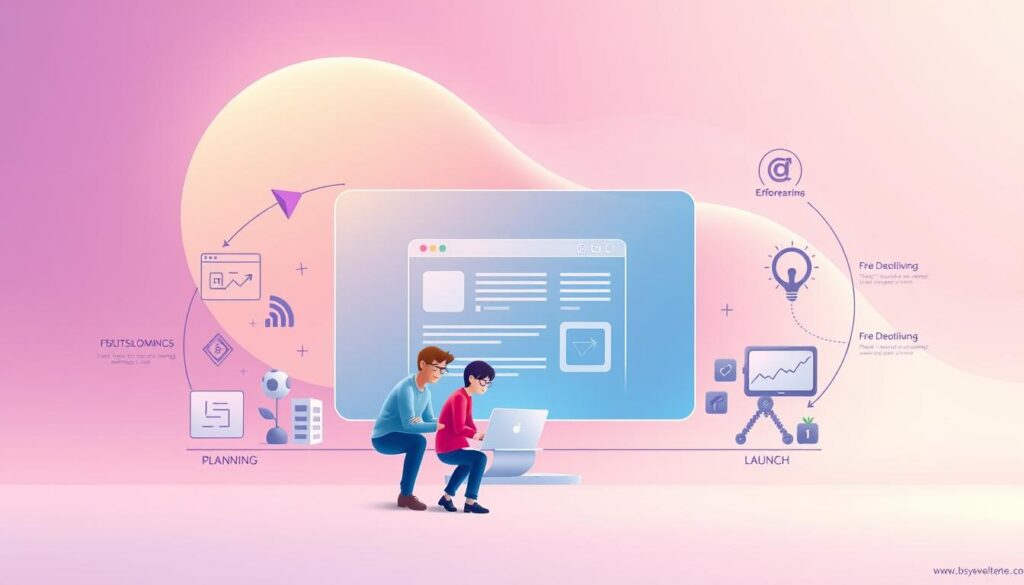
A smooth project follows clear stages from initial goals to live monitoring after launch. This section outlines a practical process so teams and beginners know what to expect.
Analysis and planning: objectives, users, and tech stack
Start by clarifying business goals, user needs, constraints, and risks. Define success metrics and budget so scope stays realistic.
Choose a tech stack that matches skills and goals—CMS for fast content edits or a custom framework for complex workflows.
Sitemaps, wireframes, and design handoff
Create sitemaps to structure information and wireframes to test layouts before high-fidelity design. A clean handoff reduces rework and speeds coding.
Development: front-end, back-end, and CMS integration
Implement front-end development components, build back-end services, and map CMS models to content and databases. Keep code modular for easier maintenance.
Testing and review: functionality, performance, and compatibility
Validate accessibility, cross-browser compatibility, and load performance. Use iterative loops: collect feedback, prioritize fixes, and retest.
- Document decisions and code structure to aid onboarding.
- Set up analytics, goals, and event tracking before launch.
- Treat launch as a phase with rollbacks, monitoring, and post-launch checks.
Deployment, Hosting, and Going Live
Moving code from a test lab to a live server requires clear steps and careful checks. Deployment moves code, databases, and files from local or staging to production so users see the final result. Hosting gives you always-on servers and domains map friendly names to those machines.

Domains, hosting, and environments
Your domain points to your host where files and applications live. Use separate environments: local for coding, staging for realistic testing, and production for live traffic.
Code deployment basics for a smooth launch
Key steps include database migrations, asset builds, and environment variable configuration. Update DNS and allow for TTL propagation after IP changes.
- Use automated pipelines (CI/CD) for repeatable releases and safe rollbacks.
- Test compatibility, load, and cross-browser behavior in staging before approval.
- Enable SSL/HTTPS, redirects, analytics, sitemap.xml, and robots.txt before launch.
| Stage | Primary Task | Example Tool |
|---|---|---|
| Local | Code & unit tests | Git, local server |
| Staging | Integration & load tests | CI pipeline, test cluster |
| Production | Live traffic & monitoring | CDN, uptime alerts |
After launch, run backups, enable CDNs and caching, and monitor logs and uptime. Define roles and approvals so code changes follow a predictable process. Treat deployment as iterative—small, frequent releases reduce risk.
For a hands-on next step, try this free course to practice deployment pipelines and hosting basics.
Maintenance and Updating: Keeping Your Site Healthy
Ongoing care keeps an online product stable, secure, and useful long after launch. Post-launch work prevents surprises and makes sure users see accurate information and a smooth experience.

Content updates, link checks, and version control
Update content regularly to reflect new offerings, dates, or policy changes. Fix broken links and remove outdated pages so trust stays high.
Use version control for code and content configurations so every change is traceable and reversible.
Monitoring performance, uptime, and errors
Track uptime, response times, error rates, and Core Web Vitals to catch regressions fast. Set alerts so teams can act before users report problems.
Schedule dependency and plugin updates to patch vulnerabilities and improve speed. Test updates in staging before pushing to live.
- Run accessibility, SEO, and security audits on a regular cadence.
- Plan database backups and restore drills to protect data and ensure recovery.
- Collect user feedback and analytics to prioritize fixes that matter most.
- Keep documentation current to reduce onboarding friction and speed support.
- Budget time and resources for this ongoing process as part of normal operations.
User Experience and Accessibility Best Practices
Great design helps people finish tasks quickly and return another time. Focus on clear layouts, predictable navigation, and fast interactions so users trust your product and keep engaging.

Designing for usability and mobile-first experiences
Start with small screens. Build layouts for phones first, then enhance for tablets and desktops. This keeps interfaces simple and performance strong.
Use tools like Figma or UXPin for wireframes and handoff. They speed collaboration between design and code teams.
Prioritize information hierarchy and scannable text. That lowers bounce rates and improves conversions across sites and applications.
Accessibility basics (WCAG) every beginner should adopt
Follow WCAG essentials: semantic HTML, descriptive alt text, labeled form inputs, and clear focus states. These steps make content usable by screen readers and keyboard users.
Test with keyboards and screen readers regularly. Include sufficient color contrast and plain language error messages to reduce friction for all users.
| Area | Action | Outcome |
|---|---|---|
| Mobile-first | Design small then scale | Faster pages; better conversion |
| Accessibility | Semantic markup & alt text | Inclusive access; legal compliance |
| Performance | Optimize images; lazy load | Lower bounce; higher engagement |
| Consistency | Design system & component library | Faster coding; uniform UX |
“Design is not just how it looks—it’s how it works for every user.”
Security Fundamentals for New Web Developers
Protecting user data and systems starts with simple, repeatable actions you can add to each sprint. Treat security as part of the workflow so risks are found early, not after launch.

New programmers should watch for injection attacks, cross-site scripting, broken authentication, insecure direct object references, and misconfigurations.
- Validate and sanitize all input to stop injections and XSS.
- Use parameterized queries; never build SQL from raw input.
- Harden access controls to avoid direct object exposure.
- Keep server and software settings locked down; avoid default credentials.
HTTPS, authentication, and safe data handling
Enable HTTPS everywhere to encrypt traffic and protect credentials and other sensitive information.
Authentication basics: enforce strong passwords, require multi-factor authentication, and apply role-based access so users see only what they need.
- Store secrets in environment variables or a vault; never hard-code keys.
- Encrypt sensitive data at rest when appropriate and limit access by least privilege.
- Audit dependencies and update packages to patch known vulnerabilities.
Operational safety: log access and errors, monitor for anomalies, and schedule penetration tests and code reviews to find gaps before attackers do.
Security is ongoing: weave audits, testing, and incident plans into back-end development and maintenance cycles so your site and applications stay resilient.
For practical examples and inspiration, see these affiliate marketing examples.
Website Development Roadmap: Practical Steps to Get Started
A focused roadmap helps new coders turn curiosity into usable projects quickly. Follow a clear path so each lesson builds on the last and you ship real work faster.

Learning path: HTML → CSS → JavaScript → a back-end language
Begin with how the web moves data so you understand requests, DNS, and HTTP. Then learn semantic HTML to structure content and make pages accessible.
Move to responsive CSS and use a framework like Bootstrap or Tailwind to learn layout patterns faster. Next, add JavaScript for interactivity and try a library such as React or jQuery to manage UI behavior.
After front-end basics, pick one back-end language (Python, PHP, Ruby, or Java) and a beginner-friendly framework (Flask, Django, Express, or Laravel). Build a simple API and connect it to a database to practice full-stack tasks.
Starter tools: editors, frameworks, and version control
Use a modern code editor like VS Code. Learn Git and host projects on GitHub for collaboration and a public portfolio.
Ship small projects: a personal site, a landing page, or a CRUD app. Deploy early to staging so you learn environment variables, build steps, and basic ops.
Practice consistently: read docs, follow community tutorials for React, Django/Flask, Express, or Laravel, and write brief case studies that explain your choices and results. For handy tool recommendations check this best SEO tools.
From Web 1.0 to Web 3.0: A Quick Evolution of Web Development
The web has shifted from simple, read-only pages to rich, data-driven experiences that shape how we build and use online applications.
Web 1.0: Read-only pages powered by basic HTML, HTTP, and URIs. Content was static, with limited interactivity and simple site structures.

Static pages to interactive platforms
Web 2.0 introduced user participation: blogs, social networks, and dynamic interfaces. JavaScript, CSS, AJAX, and early frameworks enabled richer interactions and client-side logic.
Semantic web, APIs, and modern architectures
Web 3.0 moves toward metadata, linked information, and machine-assisted personalization. APIs, microservices, serverless functions, SPAs, and JAMstack decouple concerns and scale efficiently.
- APIs are the connective tissue for data exchange across services and devices.
- PWAs and WebAssembly bring near-native performance to the browser.
- Modern stacks pair static builds with serverless endpoints for speed and security.
“Understand history to choose stacks and trade-offs that last.”
Practical tip: build a static site that uses a serverless function or an API. Small projects help you test new patterns while keeping core fundamentals—semantic markup, performance, and accessibility—front and center.
Conclusion
The best way to grow is to master the basics: understand how the web moves requests, use clear HTML and CSS, and add JavaScript where interaction matters.
Pair front-end skills with back-end fundamentals so you scope projects smarter and work better with developers. Plan carefully, build iteratively, test thoroughly, and maintain consistently to protect results.
Security, accessibility, and performance are non-negotiable. Treat them as built-in features that protect users and brand trust. A CMS can speed publishing, while custom code unlocks unique features and sharper performance.
Next step: pick a small project, choose a stack, and deploy it. Ship early, learn from users, and refine UX and content often. Thanks for reading—keep practicing and use available tutorials to keep your skills current.
FAQ
What does "elevate your online presence" mean in simple terms?
What is website development for a beginner?
Why does creating an effective web presence matter now?
How do websites and web applications differ?
Who handles design, programming, and coding?
How does the web actually work—HTTP, IP, and DNS explained?
What roles do front-end and back-end developers play?
What basic tools should beginners learn first?
What is a content management system (CMS), and when is it useful?
How should I plan a site or web app before building?
What should I test before going live?
What’s the difference between hosting and deployment?
How often should I update content and code?
How can I improve user experience and accessibility?
What security steps should new developers take?
How do I begin a learning path from front end to back end?
How has the web evolved from Web 1.0 to Web 3.0?


