

Ready to start a blog but unsure how to get going? This short guide gives clear, practical steps so you can get started fast and build momentum.
We cover a simple roadmap: pick a name and hosting, add WordPress, choose a clean theme, and prepare the pages readers expect. You’ll learn human-first writing, lightweight plugins that matter, and distribution tactics that bring real traffic.
Expect realistic timelines for monetization and tips to manage time without burning out. The advice reflects 2025 best practices and trusted tools like WordPress, Yoast SEO, and MonsterInsights.
Follow this friendly, step-by-step approach to reach your audience, write better posts, and repurpose content so more people find and enjoy your site.
Key Takeaways
- Follow a clear roadmap from idea to live site.
- Prioritize human-first content and simple SEO.
- Use lightweight tools that scale with your site.
- Repurpose posts and use Pinterest for traffic.
- Set realistic monetization and publishing rhythms.
Why start a blog in the United States right now
The U.S. market still rewards clear, honest writing that answers real problems. Readers want practical solutions and trustworthy voices. That makes this a good time to get started.

Blogging isn’t dead: what’s changed in 2025
Blogs have shifted to human-first content and skimmable layouts. Platforms like Pinterest now act like search engines and drive steady traffic.
“Authentic posts and thoughtful distribution beat short-term virality.”
Passion, community, and recognition: the real reasons people blog
Passion keeps writers consistent. Community forms through comments, emails, and social replies. Over time, recognition grows when helpful posts accumulate.
- Passion: fuels steady writing and honest perspective.
- Community: readers become subscribers and advocates.
- Recognition: leads to media, partnerships, or book deals.
| Benefit | How it shows up | Quick tip |
|---|---|---|
| Audience growth | Search, social, referral traffic | Write problem-first headlines |
| Low cost | Beginner hosting and tools | Validate with posts before upgrading |
| Long-term value | Evergreen posts and backlinks | Update articles yearly |
Ready to learn the next step? Check this concise guide to how to start a blog and get practical setup tips.
start a blog: the beginner-friendly roadmap
Follow this quick roadmap to go from idea to live site in under an hour.

From idea to blog website in under an hour
Pick your topic and check domain availability first. Use a host that offers free domain registration and one-click WordPress install to save time.
Use the host’s auto-setup to create admin credentials and reach your WordPress dashboard fast. Choose a clean starter theme and set your site title, tagline, and permalink structure.
Draft and publish your first post immediately to confirm everything works end-to-end. Create a simple navigation with core pages (Home, About, Contact) so visitors find value and can reach you easily.
- Quick checklist: topic, domain, reliable hosting, one-click WordPress.
- Install SEO and analytics plugins to track traffic and measure results.
- Add SSL so your site shows HTTPS and builds user trust.
Write down the next three steps after launch—publish the second post, enable email capture, and share on Pinterest. This keeps momentum and helps you learn from your audience.
When you’re ready to monetize, follow practical guidance on monetization to keep costs predictable and scale with traffic: how to make money with a.
Choose a blog topic and name that readers remember
Pick a clear topic and short name so people can recall your page fast. Your niche can come from daily problems you solve, hobbies, or personal experience. This helps you write useful posts and build an audience without overthinking every detail.
Finding your niche without overthinking it
Start by listing problems you can solve and stories you can share. Keep the niche broad early, then narrow it based on which content gets traction. Test ideas with friends or on social handles to see which names people remember.

Domain tips: use domain, extensions, and availability checks
Brainstorm names that signal your topic and stay short and pronounceable. If your ideal .com is taken, try .net or .org, or add small words like “my” or “the.” Avoid odd spellings; readers forget them.
| Decision | Why it matters | Quick action |
|---|---|---|
| Name clarity | Helps readers remember and share | Pick short, descriptive words |
| Extension choice | .com is trusted; others work if branding is clear | Try .net/.org or small modifiers |
| Character rules | Only letters, numbers, dashes allowed | Limit dashes and avoid capitals |
| Register fast | Names can vanish quickly | Use your host or registrar to reserve it |
Tip: Check availability with a registrar or your host’s domain tool, and secure matching social handles. When you’re ready to grow revenue, read this guide to getting rich blogging.
Set up hosting and your blogging platform the right way
A reliable host plus a flexible CMS makes the technical setup feel effortless.

Choose a host that bundles a free domain, SSL, and one-click WordPress installs so you minimize setup friction. This lets you focus on publishing content and building an audience without wrestling with server details.
Why most bloggers get started with WordPress on reliable hosting
WordPress remains the go-to blogging platform because it scales with your needs. Themes and plugins make design and SEO simple while keeping options open as traffic grows.
Bluehost is often recommended for beginners: free custom domain for the first year, automatic WordPress installation, 24/7 support, and a 30-day money-back guarantee. Promotional pricing can be attractive during sales.
Cost, reliability, and money-back guarantees to keep in mind
Look for proven uptime, responsive support, and clear renewal rates. Confirm you can create professional email addresses on your domain and that dashboard shortcuts let you log in to WordPress fast.
- Start with an entry-level plan and upgrade as traffic grows.
- Evaluate introductory pricing vs renewal costs before purchasing.
- Document credentials securely and verify domain email forwarding.
- Prefer hosts with 24/7 chat or phone support for urgent help.
| Consideration | Why it matters | Quick action |
|---|---|---|
| Free domain | Saves initial cost and keeps branding consistent | Register during checkout |
| One-click WordPress | Speeds setup so you publish in less time | Use auto-install option |
| Money-back guarantee | Risk-free testing if plans change | Confirm 30-day policy before purchase |
| Support availability | Helps when deadlines or issues arise | Check chat/phone hours |
Next step: If you want guided help beyond hosting, check this free setup course to walk through the first pieces fast.
Install WordPress and secure your new blog
Get WordPress installed and locked down in minutes so your site is ready for publishing. Complete your host checkout, open the portal, and use the automated installer to add WordPress.

Log into the admin dashboard and set your site title and tagline. Change permalinks to Post name so URLs are clean and reader-friendly.
Create a unique admin username and a strong password. If you prefer, add a separate editor account for day-to-day writing to reduce risk.
SSL and basic security best practices
Enable SSL so pages load over HTTPS and avoid browser warnings for visitors. Install Wordfence for firewall and login protection, and activate Akismet to block comment spam.
- Limit plugins to essentials to keep the blogging platform fast.
- Turn on scheduled backups (UpdraftPlus or similar) to recover quickly.
- Review General, Reading, and Discussion settings before publishing your first post.
“Secure the dashboard early — it saves time and prevents costly cleanups.”
Publish a short test post and view it on mobile to confirm fonts, navigation, and page layout feel right before you drive traffic to the site.
Design basics: pick a WordPress theme and shape your blog design
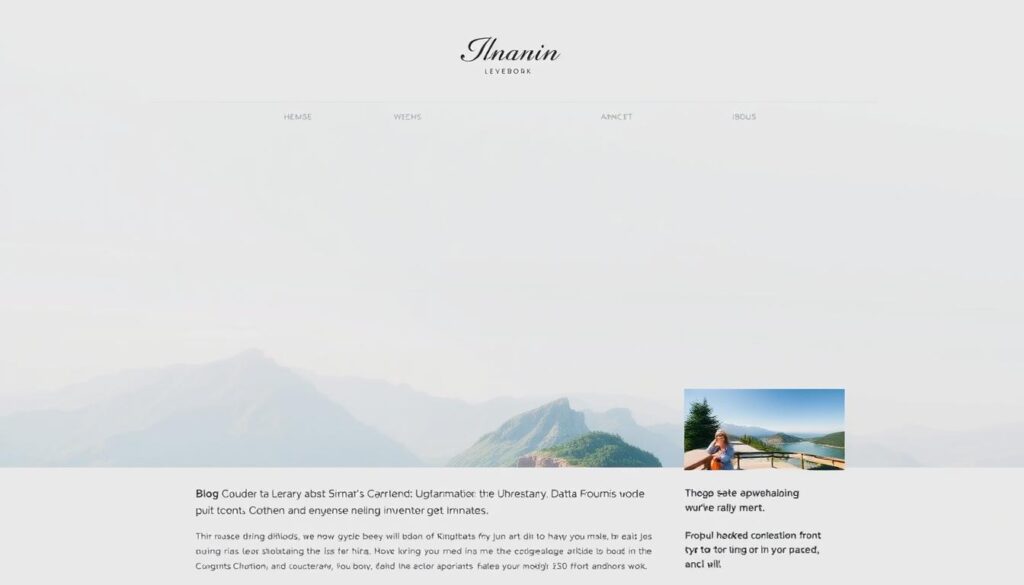
A clean theme helps your writing breathe and reduces technical hurdles during growth. Choose a theme that keeps layout simple, prioritizes readable typography, and performs well on mobile. That way, readers find value fast and return for more posts.
Free vs premium theme considerations
Default WordPress themes like Twenty Twenty-Five are well-supported and let you launch without design delays. Free themes work well for new sites; premium options add support, templates, and advanced controls when your brand needs them.
Clean layouts, brand basics, and accessibility
Keep mind performance: lighter themes and fewer dependencies speed up pages and improve engagement. Test demos on phones and desktop to check spacing, nav, and font sizes.
- Header: short menu linking to About, Contact, and Start Here pages.
- Focus: simplify sidebars so readers see posts and CTAs first.
- Accessibility: contrast, alt text, readable font sizes, and keyboard navigation matter.
- Builders: consider Divi or Showit only if you need drag-and-drop control.
Establish colors, fonts, and a simple logo early so pages feel cohesive. Don’t let design block publishing—shape pages around your audience and let writing lead the way.
Must-have WordPress plugins for performance, SEO, and safety
Install only proven tools that solve clear needs: search engine visibility, analytics, security, backups, and image speed. Keeping the list short preserves performance and saves time when you update the site.

Yoast SEO and MonsterInsights
Yoast SEO manages titles, meta descriptions, and sitemaps so content is ready for discovery. Use its readability and schema hints to improve page previews.
MonsterInsights connects Google Analytics to your dashboard. It shows which pages and posts drive traffic and which content your audience prefers.
Security, spam, backups, and images
Wordfence adds a firewall and malware scans to protect a new blog from compromise.
Akismet filters comment spam so moderation stays focused on real readers.
UpdraftPlus schedules offsite backups to Google Drive for quick restores. EWWW Image Optimizer shrinks images automatically so pages load faster.
| Plugin | Primary benefit | Quick action |
|---|---|---|
| Yoast SEO | Titles, meta, sitemap | Configure site-wide templates |
| MonsterInsights | Traffic source reports | Enable event tracking |
| Wordfence | Firewall and scans | Run initial scan, enable 2FA |
| UpdraftPlus | Automated backups | Schedule daily to remote storage |
Tip: Use Pretty Links for clean affiliate URLs, remove unused plugins, and set a monthly maintenance reminder to update tools and verify backups.
Create high-quality blog content that people actually read
Good content turns curious visitors into loyal readers by delivering clear value fast. Lead with the benefit so many people know immediately what they will learn.

Structure, white space, and multimedia
Use a repeatable outline: intro with the promise, scannable sections, practical steps, and clear takeaways. Break paragraphs into short blocks and add subheadings so readers skim easily.
Embed screenshots, short clips, or diagrams to explain complex ideas. Multimedia boosts time on page and helps readers absorb tricky details.
Templates to publish faster
Create templates for how-tos, lists, case studies, and reviews. Lead each post with the result, include a simple checklist, and end with a clear next step.
- Write conversationally: use examples and address objections.
- Revise after publishing: update screenshots and add details readers ask for.
- Track engagement: comments and page metrics tell you which posts to repeat.
Want step-by-step guidance to produce consistent content? Check this free course for practical templates and workflows: your free course.
Essential static pages before you launch
Essential pages help visitors find value quickly and keep your site compliant. Build these pages before sending any traffic so readers and regulators see a clear path and policies.

About, Contact, and Start Here pages
Write an About page that explains who you are, what this blog covers, and what people can expect. Anchor it with your mission or values so your audience connects fast.
Create a Contact page with a simple form or email and links to main social channels so people reach you easily.
Make a Start Here page that curates your best posts and resources to guide new visitors through your top content in a clear way.
Disclaimer, privacy policy, and affiliate links disclosures
Include a clear Disclaimer that explains how you may earn from recommendations. Add a Privacy Policy that notes analytics and email forms.
Place affiliate links disclosures near the top of posts that contain them and again near affiliate sections to be unmissable.
- Tip: Link these pages in header and footer so they are always easy to find.
- Revisit them regularly to reflect current tools and monetization.
Smart SEO for beginners without expensive tools

Write content that answers a clear question from your audience. Use stories, examples, and concrete steps so readers leave with a result.
Practical writing shows experience and builds trust. Search engine algorithms reward helpful pages that keep visitors engaged.
“Helpful pages written for people often outperform pages built for keywords alone.”
On-page basics: titles, headings, internal links, and slugs
Use descriptive titles and short slugs that match how readers search. Avoid jargon and keep URLs meaningful.
Structure each page with clear H2 and H3 headings so readers skim easily and crawlers understand the page layout.
- Write meta descriptions that promise a clear outcome to lift click-throughs.
- Add alt text to images that describes the image and its role in the post.
- Link internally to related posts to guide readers deeper and help crawlers find more pages.
| On-page element | Why it matters | Quick action |
|---|---|---|
| Title & slug | Improves clarity in search results | Use reader language, keep under 60 chars |
| Headings | Helps skimming and SEO structure | Use H2 for sections, H3 for subpoints |
| Internal links | Boosts discovery and session length | Link to 2–3 related posts per page |
| Meta description | Increases clicks from search engine results | Promise the outcome in 100–140 chars |
Maintenance tips: update older posts with fresh examples, remove fluff, and use analytics to expand topics that already bring readers. Yoast SEO helps set titles, meta descriptions, and sitemaps without paid tools.
Promote your new blog on social media without burning out
Small, repeatable distribution routines bring steady traffic without burnout. Build a weekly system that protects writing time and keeps content moving across channels.

Simple distribution workflows per week
Create a short weekly checklist: publish or refresh one post, pull three shareable snippets, and schedule them in one session.
Use Tailwind for Pinterest and platform-native schedulers for X, Facebook, or Instagram so posts go out automatically. This frees energy for writing and research.
Share multiple angles of the same article—tips, a quote, and a visual—so your audience sees the page in different contexts without extra drafting.
Turning readers into subscribers and returning visitors
Drive social traffic to a single landing page with a clear email opt-in. Use ConvertKit or a similar tool to collect addresses and send short welcome emails.
- Offer: a simple checklist or template as a lead magnet to boost signups.
- Highlight: the email list on key pages and inside posts to convert engaged readers into subscribers.
- Email: weekly summaries with direct links to new posts to bring readers back.
Track what works. Note which posts get the most engagement on social and email, then create follow-ups to deepen interest and grow steady traffic.
| Task | Tool | Per week action |
|---|---|---|
| Publish or update post | WordPress | 1 post |
| Schedule social shares | Tailwind, platform schedulers | 3–5 shares |
| Collect emails | ConvertKit | Drive to landing page with lead magnet |
| Analyze performance | Analytics / email reports | Review and iterate |
Pinterest as a traffic engine for your blog
Pinterest works more like a search engine than a social feed for many creators. Treat it as a discovery channel that sends steady traffic when you use search-friendly visuals and copy.

Pin design, keywords, and scheduling for steady growth
Use tall, scroll-stopping pins with readable fonts and high-contrast colors. Clear benefit-driven text on the image helps readers know what problem your post solves.
Write keyword-rich pin titles and descriptions that match your post. Link each pin directly to the most relevant page and include a simple call-to-action on that page to retain visitors.
- Create multiple pin variations per post to test visuals and headlines.
- Schedule consistently with Tailwind so your presence stays steady without daily work.
- Organize boards by topic and intent, saving pins to the most relevant board first.
- Refresh evergreen pins with updated designs to match current branding.
“Patience pays: growth compounds as your library of pins and posts expands.”
| Focus | Action | Tool | Why it matters |
|---|---|---|---|
| Design | Tall pins, clear text | Canva, Photoshop | Improves click-throughs on mobile |
| Keywords | Title + description match post | Pinterest search | Helps pins show in relevant searches |
| Scheduling | Queue multiple pins per post | Tailwind | Keeps traffic steady without daily effort |
| Measurement | Track saves and clicks | Pinterest Analytics | Shows which content draws your audience |
Tip: Expect results to build slowly. Track what readers click and save, then double down on those topics and designs to grow consistent traffic.
Build your email list from day one
Collecting emails early gives you direct contact with people who value your writing. Email helps you deliver new posts and grow steady traffic without depending on platforms.

Lead magnets, opt-ins, and welcome sequences that convert
Offer something simple and useful. A checklist, template, or mini-guide tied to your best topic creates immediate value for readers.
Place opt-ins in multiple spots: header, sidebar, inside posts, and at the end of each page. That captures interest at different moments.
- Welcome sequence: three short emails that share your story, highlight top posts, and invite replies.
- Segmentation: tag subscribers by interest so your emails stay relevant.
- Landing page: feature the lead magnet on a dedicated page and link to it from social and top-performing posts.
Tools like ConvertKit automate sequences and segments. The Minimalists and Mia emphasize email for distribution and long-term monetization. Track which opt-ins drive signups, test subject lines, and clean inactive addresses to protect deliverability.
For a practical walk-through, try this free email course to build your list the right way.
How to make money blogging: a realistic plan
A realistic monetization plan balances trust-building with measured experiments.

Months zero to six: Focus on quality content, consistent publishing, and Pinterest to bring traffic. Build an email list and deliver value so readers return. This stage is about trust, not fast money.
Months six to twelve
Track sessions and pageviews. When traffic nears thresholds for premium ad networks, apply to Mediavine or AdThrive for higher RPMs per month.
Begin affiliate marketing with products you use. Add affiliate links naturally, disclose them clearly, and create comparison posts and tutorials that help your audience choose.
Beyond a year
Develop digital products, templates, or mini-courses tied to your most-read content. Offer services like coaching or audits if your niche fits, and consider memberships for recurring money.
- Reinvest: use some earnings for tools or contractors to scale content and traffic.
- Align offers: profitable products must solve reader problems to stay sustainable.
- Layer income: ads, affiliates, products, and services together raise monthly revenue.
| Stage | Focus | Primary income |
|---|---|---|
| 0–6 months | Content, Pinterest, email | None / small |
| 6–12 months | Traffic growth, affiliates | Ads, affiliate links |
| 12+ months | Products, services, memberships | Digital sales, recurring revenue |
Use AI as your assistant, not your writer
Treat AI like a helpful co-writer that speeds research and clears creative blocks. Use it to generate topic ideas, angles, and outlines so you never stare at a blank page.

Let tools help with structure — ask for audience questions, likely objections, or comparison points to make your posts more useful for readers.
Ideas, outlines, repurposing—while keeping content human
Use AI to make social snippets, email teasers, and checklists from published content. This saves time and keeps pages fresh.
Always write the main narrative yourself. Your experiences and examples are what make posts distinct and believable to people and search engines.
- Edit AI drafts heavily to match your voice and remove generic phrasing.
- Verify facts and links manually to protect credibility.
- Use AI to suggest internal links and title variations, then test them.
“Treat AI as a creative partner that speeds ideation, not as a replacement for your perspective.”
Consistency, time management, and publishing cadence
Set a realistic cadence so your writing and life fit together without stress. Treat publishing as a long-term project. Consistency helps your audience know when to return and lets readers get to know your voice.

Per week vs per month goals that most bloggers can sustain
One quality post per week is a common first step for many creators. It balances momentum with the time needed for research, editing, and images.
- Pick a cadence you can keep—try one post per week, then reassess after two months.
- Block focused time for research, writing, editing, and graphics so each post flows through a repeatable workflow.
- Batch tasks like outlines or social scheduling to save time and reduce context switching.
- Use an editorial calendar to map topics, seasonal content, and product launches in one place.
- Track timing for each phase and refine the process. If life gets busy, shift to a per week or per month rhythm that keeps standards high.
- Small weekly targets—500 words or one outline—make steady progress without burnout.
Review analytics each quarter and tweak cadence based on what helps your blog and audience grow. This way you build sustainable habits that let readers rely on your work while you protect creative energy.
Conclusion
The clearest path forward is simple: reliable hosting, lean tools, and content that serves readers. Set up WordPress on a trusted host, secure your domain and SSL, and install only essential plugins so pages load fast and visitors trust your site.
Focus on publishing skimmable posts that help your audience. Use Pinterest and email to bring people back, and treat monetization as staged steps—first trust, then ads and affiliates, then products. Use AI to brainstorm, not to replace your voice. Keep time management small and steady: one clear step each week builds momentum and, over time, brings real money and loyal readers to your page.
FAQ
Why should I create an online writing site right now in the United States?
Has blogging changed in 2025 and how does that affect me?
How do I pick a topic and name that readers remember?
Can I get a site live in under an hour?
Why do many people recommend WordPress and reliable hosting?
What costs should I consider when launching?
How do I secure my new WordPress site quickly?
Should I use a free or premium WordPress theme?
Which plugins are essential for new sites?
How do I write posts people actually read?
What static pages should I create before launching?
How can I do SEO without expensive tools?
What social media workflow avoids burnout?
Is Pinterest worth using for traffic?
How do I start building an email list from day one?
What realistic income timeline should I expect?
How can I use AI without losing authenticity?
What publishing cadence should I follow to stay consistent?


