
Ready to turn ideas into on-screen impact? This friendly guide shows how to take a virtual event from concept to a memorable moment for your audience and attendees. You’ll learn simple steps that help your brand reach more people, boost engagement, and drive business success.
We define what a modern virtual event looks like, why it often costs less than in-person gatherings, and how chat, Q&A, and polls create richer engagement. Expect practical advice on platforms, production, marketing, and measurement that fits any scale.
Whether you run a single webinar or a multi-track series, this guide gives clear checklists, quick wins, and realistic options for limited resources. Apply these ways to balance live and on-demand content so attendees can join on their schedule and still feel part of the moment.
Key Takeaways
- Follow a clear, step-by-step guide to move from idea to impact.
- Use interactive tools to lift engagement and keep attendees involved.
- Balance live and on-demand content to fit diverse audience needs.
- Choose production and marketing tactics that match your brand and business goals.
- Lean on checklists and measurement to repeat and scale success.
What Is a Virtual Event in 2025? Definitions, Formats, and Why It Matters
Online gatherings in 2025 mix live streams, recorded clips, audio rooms, and interactive tools to create flexible, measurable experiences for attendees.
Definition: A virtual event is any meeting hosted online that uses live streaming, recorded video, audio, chat, Q&A, polls, and other digital elements. These formats are accessible to anyone with an internet connection.
Common formats and types
Typical formats include webinars, conferences, workshops, product launches, trade shows, team activities, and town halls. Organizers often blend live and pre-recorded video so the audience can join live or watch on demand.
Why host online?
Benefits include wider reach across cities and countries, lower costs than in-person events, and better accessibility. Budgets shift from venue and travel to stronger content, speakers, and production.
- Interactive features produce rich engagement data via polls, Q&A, and chat sentiment.
- Hosts can include recordings afterward to extend value for attendees who missed the live session.
- Choose this approach for inclusivity, flexibility, and measurable outcomes that help organizations learn what resonates.
Virtual Event Planning: The Ultimate Guide Overview
This guide lays out a clear, step-by-step playbook to move from idea to measurable outcomes for any online gathering.
Who this guide is for: Marketers, event planners, cross-functional teams, and organizations that need a repeatable path to success. It helps groups align goals, roles, and timelines so everyone moves in the same direction.
How to use this guide
Use it like a playbook: start with strategy, then build logistics, choose platforms and tools, and finish with promotion and follow-up. Decision gates—like live vs. pre-recorded formats—help you match format to audience needs.
- Step-by-step checklists: Audience research, format choice, hosting platforms, and collaboration tools.
- Simple production tips: Keep speaker prep, asset organization, and rehearsals tight to save time.
- Measurement moments: Capture feedback and engagement signals to iterate for future success.
Keep this guide close as a reference. Jump to sections by phase—ideation, build, promotion, or post-delivery—and use the planning checklist to streamline management and tools selection.
Types of Virtual Events You Can Host Today
Match your objectives with a format that balances scale, interactivity, and production effort for best results. Below are common types and quick notes on when to choose each.
Webinars, workshops, and courses
Webinars are short, focused sessions that work well for lead generation and thought leadership. They require minimal production but strong promotion.
Workshops and courses go deeper with hands-on activities and multi-session learning paths. Use them for skill building or customer training.
Virtual conferences and multi-session gatherings
Conferences often span days and include keynotes, breakouts, and an on-demand library. Add tracks by role or interest to help audiences self-select the most relevant sessions.
Product launches and trade shows
Product showcases benefit from live demos, gated assets, and real-time Q&A. These formats speed buyer conversations and capture intent signals for follow-up.
Team activities and town halls
Internal activities foster alignment and recognition. Town halls promote two-way communication and keep distributed teams informed and connected.
Hybrid formats: internal and external streams
Hybrid models stream select in-person sessions to remote audiences. Use internal hybrids for employees and partners, and external hybrids for customers and market audiences.
| Format | Best for | Key feature |
|---|---|---|
| Webinar | Lead gen, thought leadership | Short, focused presentations with Q&A |
| Workshop/Course | Training, certification | Hands-on sessions and follow-up materials |
| Conference | Broad learning, networking | Multi-track schedule and on-demand library |
| Product Launch / Trade Show | Sales acceleration, demos | Live demos, gated resources, real-time questions |
| Team Activities / Town Hall | Internal alignment | Two-way interaction and recognition |
Tip: Plan across formats based on objectives—education, pipeline, customer success, or community building. Map the attendee journey so every session has a clear entry, interactive moment, and follow-up action.
Setting Goals and Audience Strategy for Higher Engagement
Set clear targets before you design content so every activity ties to a measurable business outcome.
Start with targets that support marketing, sales, and business priorities. Define lead goals, registration targets, and attendance rates. These numbers guide content depth and follow-up actions.
Define success with measurable metrics
Define success by tracking registrations, live attendance, session engagement, and lead quality. Share these KPIs with sales and customer success so everyone aims at the same outcomes.
Build personas and segment outreach
- Create personas by role, industry, and preferences to pick topics and technical depth.
- Use past events and surveys as data to refine who registers and who shows up on time.
- Segment invites and landing pages so messaging fits each audience.
| Target | Metric | Action |
|---|---|---|
| Leads | Number of qualified contacts | Gated content + tailored CTA |
| Attendance | Live show rate (%) | Time-zone friendly scheduling |
| Engagement | Avg. session interactions | Interactive formats and follow-up |
Document assumptions and align stakeholders early. Turn goals into a mapped journey with clear calls to action and testable hypotheses. For more tips on setting targets, see inspiring ways to achieve your goals.
Choosing the Right Platforms and Technology Stack
Match your delivery approach to the tools you pick. Decide early if you will run live shows, rely on pre-recorded sessions, or use a blended model. That choice shapes the platform, production needs, and how you capture engagement data.
Video platforms: Live, pre-recorded, or blended delivery
For live streaming, consider Zoom or Webex as reliable hosts that handle screen sharing, multi-speaker setups, and live Q&A. Pre-recorded sessions reduce risk and simplify editing. A blended approach gives you the best of both: polished content with live interaction.
Must-have features: Accessibility, security, Q&A, chat, and polls
Prioritize accessibility and security. Use password protection, role-based access, and captioning so everyone can join safely and easily.
Make sure your stack includes chat, polls, Q&A, and recording. These tools capture real-time engagement and useful data for follow-up.
Collaboration tools to boost interaction
Add visual whiteboards like Lucidspark with Facilitator Tools to run icebreakers and group exercises. These tools keep energy high and make sessions more interactive.
“Choose a solution that your team and attendees can navigate without friction.”
- Match platform to delivery type and scale.
- Balance feature depth with usability for hosts and speakers.
- Verify integrations with registration and CRM systems.
- Plan recordings and on-demand access to extend reach.
Tip:If you’re new to hosting, pick a user-friendly platform that reduces production complexity and helps you focus on great content.
Essential Tools and Equipment for Virtual Events
A tight toolkit and simple workflows cut stress and lift production quality for your sessions.
Start with a clean website or landing page to host show details and capture interest. Use a registration tool that collects emails, sends confirmations, and issues secure access links to attendees.
Core hardware for better video and audio
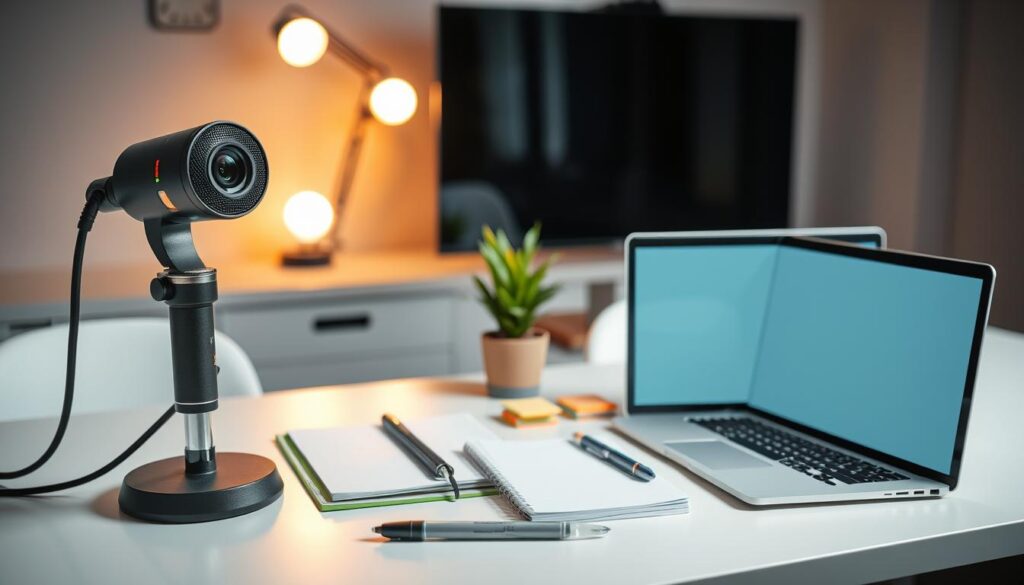
Invest in a reliable camera, a clear microphone, and soft lighting. These upgrades make speakers look and sound professional on-screen.
Prepare speaker kits that cover framing, mic placement, and lighting tips. Small standards across presenters create a consistent viewer experience.
Editing and management solutions
For recorded sessions, use video editing software to tighten pacing, add graphics, and normalize audio. Store backups for recordings, slides, and assets so nothing is lost.
Organize tasks and deadlines with event management software so owners and dependencies are visible to the whole team.
Quick checklist
- Build a landing page with clear information and frictionless registration.
- Automate confirmations and secure links via a registration platform.
- Test cameras, microphones, and lighting before every session.
- Use editing tools for pre-recorded content and secure backups for all assets.
| Tool | Purpose | Benefit | Example |
|---|---|---|---|
| Website / Landing Page | Promote and host details | Clear info + conversions | Squarespace, WordPress |
| Registration System | Capture emails, send links | Automated access + tracking | Eventbrite, HubSpot |
| Audio & Video Gear | Record live or pre-recorded sessions | Higher production quality | Logitech C922, Shure MV7 |
| Editing & Management | Polish content and organize tasks | Consistent content + smooth delivery | Premiere Pro, Asana |
From Idea to Agenda: Content, Speakers, and Session Design
Turn ideas into a clear agenda that balances inspiration, deep dives, and flexible viewing for every attendee.
Crafting session formats
Outline a balanced program with keynotes for vision, breakouts for skill building, and on-demand content for catch-up viewing.
Mix interviews, demos, panels, and lightning talks to match audience preferences and keep energy high.
Selecting and preparing speakers
Coach speakers on pacing, on-camera presence, and how to use chat and Q&A without losing flow.
Run tech tests, provide talk tracks, and schedule rehearsals so every contributor knows timing and cues.
Accessibility and inclusive content
Design with inclusion in mind: use clear visuals, readable slides, captions for video, and avoid jargon-heavy language.
Seed common questions in advance to help speakers deliver targeted value and reduce friction during live Q&A.
- Use engagement moments every 5–10 minutes—polls, chat prompts, or brief activities.
- Offer on-demand recordings and resources so attendees can revisit key content and share with teams.
- Set clear timing guidelines and transitions to respect attention spans.
| Focus | Why it matters | Quick action |
|---|---|---|
| Keynote | Inspires and sets tone | Prep slides, one rehearsal, clear CTA |
| Breakout | Creates depth and networking | Limit size, assign facilitators, use whiteboards |
| On-demand | Extends reach after the live show | Edit short clips, add captions, publish library |
Promotion and Demand Generation That Fill Your Virtual Seats
Mix targeted outreach and on-site visibility to build momentum before show day. Start with a simple promotional runway and layer channels so each touch moves people closer to registering.
Email, social, sponsorships, and on-site website tactics
Use email invites and nurture sequences to share clear benefits and speaker highlights. Pair organic and sponsored social posts so your posts reach known followers and new audiences.
Activate sponsors with co-marketing kits that include logos, sample copy, and short videos. Place homepage countdowns, landing pages, and on-site banners to keep this show top of mind.
Messaging frameworks: Name, tagline, and unique hashtag
Craft a memorable name and a concise tagline that explains the promise in one line. Add a unique hashtag so supporters and speakers can amplify posts and create social proof.
“Clear messaging helps attendees know what they will learn and why it matters.”
Timing: Time zones, date selection, and countdowns
Pick dates and publish session times in at least two time zones to reduce confusion. Use short countdowns and reminder emails to lift live attendance and conversions.
- Tailor outreach by persona and role so each audience sees relevant benefits.
- Keep registration light; enrich profiles later through behavior and session choices.
- Repurpose teaser clips from rehearsals to show production quality and attract attendees.
| Channel | Purpose | Quick tip |
|---|---|---|
| Drive registrations and reminders | Use 3 touches: invite, reminder, last-chance | |
| Social media | Awareness and shareable assets | Mix organic posts with one key sponsored push |
| Sponsors / partners | Extend reach and credibility | Provide co-branded assets and tracking links |
| Website | Convert visitors with landing pages | Homepage countdowns + clear CTAs |
Pro tip: For deeper guidance on creating courses and launches tied to your promotion, see online course creator secrets.
Executing Flawlessly: Run-of-Show, Rehearsals, and Live Engagement
Minute-by-minute scripts and role assignments keep teams aligned and shows on time. Build a clear run-of-show so moderators, producers, and speakers know exactly what happens and when.
Schedule full rehearsals and tech checks to validate cameras, microphones, screen sharing, and connection stability. Test platform features and integrations well before go-time.
Run-throughs and tech checks to avoid glitches
Rehearse with speakers using a detailed outline and talk track. Run a full dress rehearsal including pre-roll, transitions, and backup dial-ins or pre-recorded segments.
Moderation, chat, polls, and live Q&A best practices
- Assign roles: host, moderator, and Q&A lead to keep interactions timely.
- Seed chat with prompts and run short activities to boost engagement and attendee energy.
- Collect likely questions in advance and keep concise replies ready to paste during busy moments.
- Monitor attendance and participation spikes to decide whether to extend Q&A or move on.
“Prepare answers and backups so you can focus on connection, not fixes.”
Post-Event Momentum: Follow-Up, On-Demand, and Measurement
What you do in the 72 hours after your session often decides long-term success. Send purposeful, personal follow-ups that include a clear call to action—book a demo, explore a product, or view related content.
Right after the show, send tailored email notes that reference attendee interests and top questions. Track registrants by role, industry, and behavior so follow-ups feel timely and relevant.
- Package recordings into an on-demand library so your best content keeps working over time.
- Measure registrations, attendance rates, session watch time, chat activity, and poll responses to see what resonated.
- Route attendee segments into nurture paths—by role, industry, or interest—for better conversion.
Compare results to your goals and create concise dashboards to share with stakeholders. Capture qualitative feedback, then fold insights into future content and format changes.
“Organize clips, quotes, and slides in your management and technology stack to speed reuse and follow-up.”
For prompt ideas and reusable copy to accelerate follow-ups, see awesome ChatGPT prompts.
Conclusion
Finish strong by turning lessons into simple systems your team can run and improve.
Use this short guide to keep goals, roles, and tools aligned so every show ties to business outcomes. Small improvements compound: better prep, clearer messaging, and a tight run-of-show create bigger wins over time.
Keep measuring and reusing assets. Save clips, build an on-demand library, and let data guide the next iteration so your audience grows and engagement deepens.
Equip teams with repeatable checklists and guardrails. For one powerful planning insight, see the single biggest secret to success to reinforce why consistent preparation drives results.
FAQ
What counts as a live online gathering in 2025?
Who should use this guide?
What types of formats can I run?
How do I set measurable goals?
What features should I look for in a platform?
What basic gear is essential for quality production?
How should I design session formats?
How do I prepare speakers for remote delivery?
What promotion tactics drive registrations?
How can I increase live engagement during a session?
What should be in the post-event follow-up?
Which metrics matter most after the show?
How do I make content accessible and inclusive?
Can hybrid formats really work for internal and external audiences?
What tools help with registration and attendee data?


