

This friendly directory is your practical starting point for navigating modern options, roles, and tools. It explains how remote setups span hybrid and fully distributed teams and why this model has become a lasting part of the world of employment.
Inside, you’ll find curated company examples, role-based lists, tool stacks, scheduling tips, and management ideas that support productive time at home.
The guide helps software engineers, data specialists, product leaders, sales pros, and niche services match their skills to real openings. It distills reliable information so readers save time when assessing a company, a role type, or the technology needed to succeed.
Commercially focused, this resource aims to connect readers with the right job path and tools. You can also explore related side hustle resources for complementary options.
Key Takeaways
- This guide maps hybrid and fully distributed setups for professionals.
- Find curated company examples and role directories for the United States.
- Review tool stacks that enable collaboration and security across time zones.
- Learn scheduling, management, and health tips for home offices.
- Use the directory to save time and connect with suitable business opportunities.
Today’s Remote Work Landscape in the United States
Across the United States, flexible location models now shape how many professionals organize tasks and teams. This section defines the concept and traces how it evolved into a mainstream option for modern employees.

Definition and evolution
Definition: Performing job duties from home or another non-office site, enabled by internet access and collaboration tools.
The idea began in the 1970s with terminals over phone lines. Broad adoption followed as broadband, cloud computing, and videotelephony emerged in the 1990s and 2000s. A major shift happened in 2020 when public health measures pushed many to work outside offices.
Hybrid vs. fully distributed
Hybrid models mix on-site days with at-home schedules, often two to three days on campus. Fully distributed companies operate without a central office by design.
- Public sector: The Telework Enhancement Act of 2010 asked federal agencies to allow telework where performance isn’t harmed.
- Modern technology such as video calls, chat, cloud storage, VPNs, and VoIP reduces friction and secures access.
| Model | Typical pattern | Common tools |
|---|---|---|
| Hybrid | 2–3 on-site days | Teams, Slack, cloud storage |
| Fully distributed | No central office | Video conferencing, VPNs |
| Office-first | Regular on-site presence | Calendars, in-person meetings |
Why Choose Remote Work: Benefits for Professionals and Employers
Professionals and employers both gain measurable advantages when teams operate beyond a single office. These arrangements offer greater control over daily schedules, stronger autonomy, and access to talent across regions.

Flexibility, autonomy, and wider talent pools
Flexibility helps people set focus blocks, pick home office setups, and manage peak productivity hours.
Autonomy raises motivation when outcomes matter more than hours. Employers benefit by recruiting beyond commutes, gaining diverse skills and coverage across time zones.
Cost and environmental impacts
Companies often reduce office footprint and on-site overheads. Employees save on commuting costs, which can improve satisfaction and retention.
- Lower real-estate costs allow a business to invest in tools and training.
- Fewer commutes cut emissions, ease congestion, and support sustainability goals.
- Geographic flexibility lets professionals relocate without losing job opportunities or pay.
| Benefit | Impact | Who wins |
|---|---|---|
| Flexibility | Better scheduling and focus | Employees |
| Hiring reach | Wider talent pool and diversity | Company |
| Cost savings | Less office and commute spend | Both |
Successful implementations hinge on clear management practices, explicit goals, and consistent communication. These keep teams aligned while preserving the autonomy that drives higher productivity.
For readers seeking openings that fit flexible arrangements, explore curated listings at work-from-home jobs.
Next, we’ll weigh these benefits against practical challenges like isolation and culture so you can plan a balanced approach.
Key Considerations and Challenges of Working from Home
When your home doubles as an office, small habits make a big difference for focus and wellbeing.

Maintaining boundaries and reducing isolation
Set defined hours and a dedicated workspace to signal when the day starts and ends.
Routines help separate tasks and personal life. Try an entry ritual in the morning and a shutdown routine at the end of the day.
To counter isolation, schedule short social touchpoints: virtual coffee chats, team retros, or occasional in-person meetups when feasible.
Team cohesion and culture at a distance
Intentional communication rituals keep collaboration smooth. Use weekly standups, shared documents, and transparent calendars so information flows.
Companies that celebrate wins, document decisions, and run inclusive meetings keep culture healthy. Leaders should model clear expectations and polite boundaries.
- Limit sedentary time: build movement breaks and ergonomic setups to protect health.
- Guard focus by using do-not-disturb blocks and agreed response-time norms.
- Prefer asynchronous updates to cut meeting overload; save live sessions for high-value topics.
Remember: a strong culture is built by design, not by default. Iterate based on team feedback and outcomes to keep the system working for people and the company.
“Effective communication and healthy routines are the foundation of long-term success when teams operate from home.”
U.S. Trends and Statistics You Should Know
Data from leading polls reveal how schedule choices are reshaping talent markets across the United States.

Gallup insights on hybrid adoption and preferences
Snapshot (Feb 2023): Among remote-capable employees in the United States, 52% were hybrid, 28% worked fully remote, and 20% remained on-site. That split signals a durable shift in how many companies set days in-office.
Preference trends (2024): Half of full-time Americans can choose flexible locations. About 60% of those with flexibility prefer hybrid schedules, roughly 30% prefer fully remote setups, and under 10% favor full-time office days.
OPM federal workforce eligibility and savings
The U.S. Office of Personnel Management reported that 50% of federal employees were eligible to telework in 2020.
Agencies recorded more than $180 million in savings that fiscal year, showing public-sector viability for hybrid policies.
- Talent signal: 60% of workers said they’d consider changing jobs if their company removed options, a strong retention factor.
- Cadence: Two to three days per week in-office is common; teams tweak days and time windows to match collaboration needs.
- Measurement: Companies are refining metrics to track productivity, engagement, and collaboration quality over time.
How to use this information: Bring these statistics into hiring and negotiation conversations. They help professionals compare benefits and help employers set policies that align with market expectations and retention goals.
“Use data on days, time, and employee preference to design company policies that balance outcomes and culture.”
Service Directory: Software Engineer and Full Stack Roles
Find companies actively hiring full stack engineers and the skills they prize in modern development roles.

Featured companies and opportunities
Metana, CloudDevs, Sticker Mule, and Proton are spotlighted for engaging software engineers on cloud and web projects.
View all 42 Full-Stack Programming jobs to see a healthy pipeline of positions for candidates skilled in JavaScript frameworks, APIs, and cloud services.
Typical full stack profile
- Front end: React or similar frameworks and solid UI engineering.
- Back end: Node.js services, REST/GraphQL APIs, and database design.
- Delivery: CI/CD, automated tests, and performance monitoring across services.
Engineering workflows often include Git-based code reviews, async design docs, and pair sessions via screen sharing to keep quality high.
When applying, highlight cloud deployments, automated testing, and measurable impact—shipped features, scalability gains, or uptime improvements.
“Evaluate a company’s documentation standards and incident response practices to confirm a good cultural fit for distributed engineering.”
Tip: Tailor your job search to roles that list full stack responsibilities and ownership across UI, services, and DevOps touchpoints. Check each company profile for tech stack, interview steps, and onboarding support before you apply.
Service Directory: Data Engineer and Machine Learning Engineer
Companies that treat data as a product are expanding roles for engineers who build pipelines and ship models into production.

Featured companies and roles
Lumenalta, RapidIT, and Nuware Technologies hire data engineers and machine learning engineers for pipeline, model, and platform work.
What these engineers do
Data engineers build ETL/ELT pipelines, manage warehouses and lakes, and tune cost and performance for scale.
Machine learning engineers handle model deployment, inference optimization, MLOps tooling, and monitor drift and data quality in production.
- Learning engineer and ML platform roles create reusable features, experiment tracking, and CI/CD for faster iteration.
- Cross-functional collaboration with product teams and senior stakeholders aligns models and datasets to business goals.
- Candidates should show distributed processing, orchestration, and model serving experience in cloud environments.
“Evaluate a company’s data maturity—governance, lineage, and documentation—before you commit to a role.”
Tip: Tailor your portfolio with case studies on throughput gains, latency reduction, reliability improvements, or model accuracy tied to A/B tests. Also check security, compliance, onboarding, and mentorship practices to ensure productive distributed engineering.
Service Directory: Product Manager and Senior Manager
Clear product leadership aligns vision, discovery, and delivery so teams move from ideas to measurable impact.

Featured companies and examples
A.Team, Planning Center, and Kimberly-Clark are cited for roles where product managers and senior managers lead cross-functional roadmaps across distributed teams.
How product leadership works in practice
Product strategy lives in concise docs, prioritized backlogs, and outcome-based metrics. Use asynchronous PRDs, sprint goals, and decision logs to keep the team aligned.
- Product manager: synthesize user research, align stakeholders, and run iterative experiments to reduce risk.
- Senior manager: coach managers, manage performance, and allocate resources across product lines.
- Check an employer’s cadence: OKRs, quarterly planning, and roadmap reviews signal strong management and execution.
Tip: Bring case studies that show conversion lift, adoption growth, or cycle-time reduction. Verify how product and engineering coordinate discovery, spikes, and releases.
“Strong artifacts—roadmaps, KPIs, and demo rhythms—build trust and visibility across time zones.”
Service Directory: Sales Representative and Client-Facing Roles
Modern sellers win by combining timely outreach with high-quality content and clear onboarding. Broadcast Music, Inc. and EdReports.org are examples of companies that hire sales representatives and client-facing teams to manage long-term relationships and content-driven engagement.

Virtual selling and content-led cycles
Discovery calls, tailored demos, and digital proposals now replace many in-person steps. CRMs, sequencing tools, and shared collateral make follow-ups repeatable and measurable.
Content matters: case studies, ROI calculators, and enablement assets answer buyer questions asynchronously and speed decisions.
Client success and productivity
Strong onboarding, quarterly business reviews, and health scoring drive retention and expansion without on-site visits.
- Protect prospecting blocks and set follow-up cadences to guard selling time.
- Evaluate a company’s sales tech stack—CRM, sequencing, and video platforms—and the inbound content available to support reps.
- Showcase pipeline ownership, quota attainment, and renewal metrics when you apply.
“Clear territory rules and meeting policies that respect time zones reduce friction and improve team coordination.”
Tip: Collaborate with product and marketing to surface objections, tighten messaging, and feed client insights back into the roadmap. Keep documentation current, communicate sharply, and maintain a disciplined schedule to succeed as a sales representative in distributed roles.
Service Directory: Niche and Professional Services
Companies in health, legal, and facilities management now list roles that center on coordination, compliance, and scheduling.

Health and property management
Commure/Athelas and Meo Health hire people for care coordination, analytics, and compliant information handling.
These companies often require familiarity with clinical data, HIPAA practices, and vendor-facing processes.
Consulting and legal
OMW Consulting and Reed Smith LLP show pathways for advisory roles that use distributed research and document-driven delivery.
Expect emphasis on clear deliverables, editable playbooks, and precise client communication.
Operations and scheduling
Skedda, OneZero Solutions, and Creative Information Technology, Inc. provide scheduling and facilities solutions for distributed sites.
Roles focus on systems design, uptime coordination, and SLA adherence to serve teams across time zones.
Small business and wellness
Pronto Pilates Pty Ltd is an example of a small business using virtual programming and scheduling to scale client services.
These positions blend customer care, scheduling tools, and program design.
How these sectors translate to flexible roles:
- Property management and health services map to operations, support, and information coordination roles.
- Niche companies value domain expertise, strong documentation, and client-facing clarity.
- Look for solutions-driven roles that require process design and compliance focus.
Practical advice: Review a company’s security and confidentiality policies and confirm scheduling expectations for time-sensitive clients.
| Sector | Sample company | Common roles | Key requirements |
|---|---|---|---|
| Health & Property Management | Commure/Athelas, Meo Health | Care coordinator, Data analyst, Ops specialist | HIPAA knowledge, documentation, vendor coordination |
| Consulting & Legal | OMW Consulting, Reed Smith LLP | Consultant, Legal researcher, Advisory lead | Research rigor, playbooks, client-facing writing |
| Operations & Scheduling | Skedda, OneZero Solutions, Creative IT | Scheduler, Systems designer, SLA manager | Process design, uptime focus, tooling expertise |
| Small Business & Wellness | Pronto Pilates Pty Ltd | Program coordinator, Client manager | Customer service, scheduling tools, virtual programming |
These niche sectors rely on SOPs, SLAs, and playbooks to keep contributors aligned. Candidates can grow from support roles into operations leadership by showing process improvements and high client satisfaction.
For curated resources and templates to support your applications, see resources for success.
remote work Tools and Technologies Directory
A compact inventory of collaboration and security tools lets companies standardize how teams meet, share, and protect data.
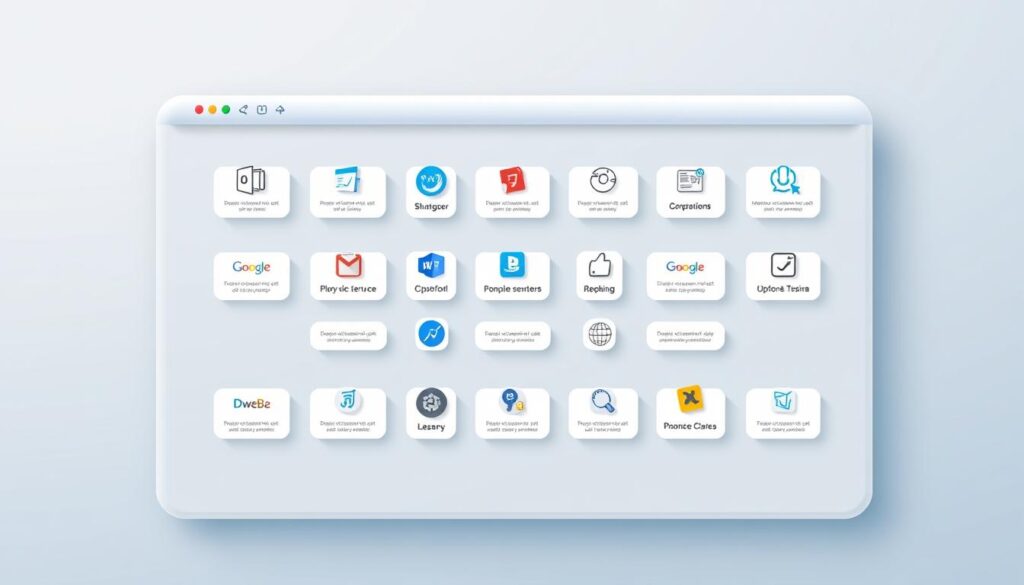
Collaboration suites and when to use them
Zoom is best for webinars and large meetings with polished production.
Microsoft Teams works well when documents, calendar, and chat must live in one ecosystem.
Google Meet is lightweight for quick calls and ties into shared docs and calendar invites.
Slack excels for threaded chat, short updates, and integrations with ticketing or CI systems.
Security, access, and cloud foundation
VPNs provide an encrypted tunnel for sensitive systems. Pair them with identity management and single sign-on to reduce credential risk.
VoIP with end-to-end encryption secures voice and video channels for client calls and internal briefings.
Cloud computing underpins file sharing, code repos, and data platforms so staff can access resources across hours and locations.
Information flows, norms, and integrations
Standardize shared drives, wikis, and ticketing so decisions and documentation are searchable.
Adopt clear meeting norms: purpose, time limit, and desired outcome. Use async updates to cut unnecessary live sessions.
Integrate calendar, project boards, and chat to reduce context switching and make priorities visible.
Operational hygiene and governance
Enforce device hygiene, MFA, and timely software updates as baseline security practices.
Evaluate vendor compliance—SOC 2 or ISO 27001—and confirm data residency rules when clients require them.
| Area | Typical tools | Key metric |
|---|---|---|
| Meetings & calls | Zoom, Google Meet, Webex | Average meeting length |
| Chat & async | Slack, WhatsApp, Teams | Response lag, threads closed |
| Security & access | VPNs, SSO, VoIP | Incidents, MFA coverage |
“Pilot new technologies with playbooks and clear success metrics to ensure adoption and measure ROI.”
How Schedules, Days, and Hours Work in Distributed Teams
Smartly arranged days and hours keep global teams synchronized while protecting individual focus. Establishing clear patterns makes collaboration fair and reduces interruptions that drain energy.

Designing overlapping windows and protected focus
Define core hours that give at least two overlap hours for cross-site meetings. Outside those windows, protect deep-focus blocks for heads-down delivery.
Document working hours and expected response times in the team handbook. That clarity prevents surprises and helps everyone plan their day.
Practical week structures and meeting cadence
Adopt a predictable week with meeting-light days, async status updates, and fixed sprint ceremonies. For example:
- Weekly planning on Monday within overlap hours.
- Midweek demos during mid-day overlap.
- End-of-week retros scheduled early in the overlapping window.
Rotate meeting times so inconvenience is shared fairly across regions over the course of a month.
“Clear schedules reduce after-hours pressure and cut needless context switching.”
Tips: Use shared calendars, do-not-disturb blocks, and focus-time markers. Review days and hours policies periodically and encourage leaders to model healthy scheduling. For practical templates, see our free scheduling course.
Health, Well-Being, and Ergonomics for Remote Professionals
Simple changes to posture, schedule, and social routines can cut fatigue and boost clarity across the day. Prioritizing health at home keeps performance steady and reduces strain over weeks and months.

Combatting sedentary time and building healthy routines
Ergonomic basics: choose a chair with lumbar support, set monitor height at eye level, and use an external keyboard and mouse. These adjustments reduce neck and back strain.
Break up sitting by standing or walking for a few minutes every hour. Hydration and short stretching sequences restore circulation and focus.
Mental health and social connection strategies
Schedule short breaks, try brief mindfulness sessions, and use employee assistance programs when needed. Regular check-ins with teammates help share workload signals before they escalate.
Social touchpoints—virtual coffee, interest groups, or mentorship—reduce isolation and improve morale. Try standing meetings or walking calls to add movement without losing collaboration time.
- Set clear end-of-day rituals and device downtime to stop late-night creep.
- Create communication norms: short agendas, concise updates, and predictable check-ins.
- Use wellness stipends for ergonomic gear or fitness to support long-term comfort.
“Well-being is foundational to consistent performance and collaboration quality over time.”
| Area | Benefit | Quick fix |
|---|---|---|
| Posture | Less pain, better focus | Adjust chair & monitor |
| Movement | Reduced fatigue, improved mood | Hourly micro-walks |
| Social connection | Lower isolation, higher engagement | Weekly virtual coffee |
Leaders should watch hours and encourage PTO to prevent burnout. For tips on staying energized and motivated at home, see how to stay motivated while working from.
Managing Remote Teams: Concepts That Improve Outcomes
Good management begins with shared context that reduces friction and speeds decisions. Clear habits around meetings, documentation, and tools make collaboration smoother across locations.

Common ground and communication media
Common ground is the shared context that makes messages efficient. Use agendas, short recaps, and video when negotiations or misunderstandings may occur.
Tip: Start meetings with the purpose and end with action owners to strengthen awareness.
Coupling in work: tightly vs. loosely coupled tasks
Tightly coupled tasks need frequent, rich interaction—choose live workshops or video. Loosely coupled tasks work well with documented plans and async updates.
Define coupling for each project so the right medium matches the level of coordination required.
Collaboration readiness and technology readiness
Collaboration readiness means teams value sharing and are rewarded for it. Leaders should model openness and reward clear handoffs.
Technology readiness covers both tools and habits: consistent naming, prepared docs, and respect for others’ information needs.
- Adopt tools in stages: email/phone → audio → video → shared repos → real-time editing.
- Measure collaboration with decision latency, cycle time, and rework rates.
- Enforce information hygiene: naming conventions, version control, and searchable records.
Managers should coach channel choice, meeting facilitation, and consensus-building so the company scales reliable outcomes. For practical prompts to guide facilitation, see our best prompts.
“Mastering these concepts builds trust, reduces rework, and improves company results in a distributed world.”
Hybrid vs. Fully Remote: Choosing the Right Model
Deciding on a hybrid or fully remote model affects productivity patterns, culture, and talent reach. Use team needs and task coupling to guide the choice rather than a top-down rule.

Productivity, culture, and employee preference signals
Match design to tasks: tightly coupled projects benefit from synchronized days and in-person sessions. Loosely coupled work runs well with async updates and fewer meetings.
Culture and onboarding: many companies find two to three in-person days useful for workshops, mentoring, and relationship building. For the united kingdom and great britain, surveys often show similar two-to-three day patterns.
Pilot and measure: run short experiments on cadence, track outcomes, and iterate. If a company chooses fully remote, double down on documentation, mentorship, and planned social touchpoints.
- Set clear overlap windows and publish travel budgets for periodic off-sites.
- Align model choice to customer patterns, compliance needs, and the portfolio of tasks.
- Be transparent: publish policies and revisit them quarterly with data.
“Pilot different cadences, measure outcomes, and iterate—avoid one-size-fits-all mandates.”
| Model | Strength | Key trade-off |
|---|---|---|
| Hybrid | Stronger culture and onboarding | Coordination on in-office days |
| Fully remote | Faster global hiring and cost efficiency | Needs intentional documentation and mentorship |
Finding U.S. Remote Jobs by Region and City
Searching by city and region uncovers roles that blend flexibility with ties to local clients and teams.

Spotlight: New York opportunities across software, data, and product
New York companies still list city-affiliated roles for tax, client proximity, and occasional on-site collaboration.
Use advanced filters on aggregators and company career pages. Search for keywords like hybrid, location-flexible, and the city name to reveal positions open beyond the commute zone.
- Monitor company pages and set alerts to catch new software and data openings fast.
- Tailor your resume to New York expectations: measurable impact, rapid delivery, and cross-functional communication.
- Research pay bands by city—companies often adjust compensation to cost of living.
- Growth areas: platform engineering, data platforms, and product-led growth firms that support distributed teams.
Dispersed economic activity creates opportunities in suburbs and secondary markets around major hubs. Network via virtual meetups and city-specific groups to find hidden job leads.
“Verify a company’s policies for equipment stipends and onboarding before accepting an offer.”
How to Use This Remote Work Service Directory
Treat the directory like a checklist: filter, validate, and document what you learn about each company. Start with a narrow search to save time and focus on roles that match your background.

Search strategies, filters, and evaluating company profiles
Filter by role, industry, and experience level to reduce noise. Add core technology tags to see positions that use tools you know.
- Use location and seniority filters to target suitable openings.
- Scan company profiles for clear policies on cadence, onboarding, and mentorship.
- Note whether documentation, roadmaps, and OKRs are public—this signals strong information hygiene.
Validating experience, technologies, and management practices
Match your achievements to role outcomes. Cite throughput gains, revenue impact, or reliability improvements in applications.
Check the tool stack—video, chat, repos, and ticketing—and how neatly they integrate to support distributed teams.
“Prioritize companies that show documented management practices and examples of cross-functional collaboration.”
| Area | What to look for | Red flag |
|---|---|---|
| Onboarding | Mentor, checklist, and time to productivity | No plan or vague timelines |
| Technology | Integrated video, chat, repos, ticketing | Ad hoc tools and no standards |
| Management | OKRs, roadmap reviews, regular retros | No measurable goals or missing docs |
| Client-facing expectations | Travel cadence, coverage hours, SLA notes | Unclear or last-minute demands |
Tip: Keep notes on each company’s information sources and decision records before shortlisting. Ask about learning budgets and solutions ownership during interviews to confirm growth and impact.
Conclusion
Use the directory as a living tool to compare companies, roles, and technology so you can negotiate with confidence.
Recap: this guide helps professionals in the United States match skills to hybrid and distributed roles, validate onboarding, and spot companies that back clear processes and strong documentation.
Good outcomes flow from intentional communication, solid documentation, and the right tech. Tailor applications to measurable impact and check how a company supports development and early productivity.
Protect your health and ergonomics at home to sustain long-term performance. Revisit the role directories often and share success stories so the community stays current.
Find related openings and writing opportunities at freelance writing jobs and send feedback to help improve this directory.
FAQ
What does "remote work" mean and how has it evolved?
How do hybrid and fully remote models differ today?
What are the primary benefits for employees and employers?
What challenges should professionals expect when working from home?
How can teams maintain cohesion and culture at a distance?
What U.S. trends and statistics should I know?
Which companies are hiring for software and full stack roles?
What skills are in demand for data and machine learning engineering?
How do product and senior manager roles operate in distributed teams?
Are sales and client-facing roles effective outside the office?
What niche services hire distributed professionals?
Which collaboration and security tools should teams standardize on?
How should distributed teams set schedules, days, and hours?
What are best practices for ergonomics and mental health?
How can managers improve outcomes for distributed teams?
How should a company choose between hybrid and fully distributed models?
Where can job seekers find U.S. distributed roles by city or region?
How do I use a service directory to find suitable positions?


