

Ready to turn products into steady sales? This short guide shows how the fulfillment service can cut your workload and help you scale. You’ll see clear steps from product research to listing optimization, ad setup, and inventory planning.
Outsourcing storage, shipping, and customer service frees time to grow your business. New sellers may access incentives that reduce fees and offset early costs. That makes it easier to test products and improve profitability.
We focus on practical actions: choose the right product types, price for profit, and set your seller account to win. You’ll also learn how to monitor inventory, avoid surprise fees, and keep orders moving fast.
Key Takeaways
- Use fulfillment to lower daily workload and improve customer experience.
- Follow a step-by-step plan from product research to launch and ads.
- Stack new-seller incentives to cut fees and boost early sales.
- Price products to protect margins and track true landed costs.
- Monitor inventory to prevent excess storage and keep shipping steady.
What Amazon FBA Is and Why It Matters Right Now
Using a third-party fulfillment network lets sellers focus on growth instead of daily logistics. Fulfillment covers storing inventory, packing orders, shipping items, and handling returns and exchanges.

Fulfillment defined: storing, packing, shipping, returns, and exchanges
Good fulfillment means your product is kept in regional facilities, packaged to spec, and shipped quickly. This reduces errors and boosts customers’ confidence in delivery and service.
How FBA streamlines order handling and customer service
Programs like amazon fba centralize order intake, shipment creation, and post-purchase support. Sellers use this service to cut time spent on label printing, packing, and tracking.
- Lower per-unit shipping costs often let you price competitively without killing margins.
- Fast-delivery badges and consistent response times help raise conversion and sales.
- New-seller incentives can offset early inventory and shipping costs so you break even faster.
Choosing the Right Selling Path: FBA vs. FBM
Picking the right fulfillment path sets how fast and reliably your orders reach customers. You can run fulfillment in‑house, use a third‑party program, or blend both to match product needs and volume.
When to use fulfillment services vs. in-house or hybrid
Use amazon fba when speed, scale, and consistent service matter more than owning every logistics step.
Choose FBM if you have efficient in‑house shipping, bespoke packaging, or tight control over fragile products.
A hybrid approach sends fast‑moving SKUs to fulfillment centers while you handle oversized or custom items yourself.
Cost, control, and customer experience trade-offs
Compare the full costs: storage, pick/pack, and service fees versus your labor, materials, and carrier rates.
FBA often reduces shipping variability and boosts trust with customers. FBM can lower fees when volumes are steady and margins are thin.
- Track metrics: order defect rate and late shipments shift with each path.
- Use FBA during peaks to absorb spikes; keep FBM as a backup for noncompliant products.
- Revisit your mix quarterly as product mix, fees, and customer expectations change.
Want a quick way to compare options? compare fulfillment options to find the right balance for your business and product lineup.
Setting Up Seller Central the Smart Way
A clean Seller Central setup stops simple mistakes from becoming costly delays.
Decide your account level first. If you expect multiple sales each month, a Professional seller account at $39.99/month usually pays for itself with access to advanced tools and reporting.
Complete tax, bank, and identity verification in Seller Central right away. This avoids holds on payments or product approvals that can stall launches.

Selecting the right account and protecting your brand
Review category rules and restricted products before you buy inventory. That prevents stuck shipments and compliance fines.
- Enroll in Brand Registry — it’s free and gives IP protection, A+ Content, and better listing controls.
- Create a product data template for titles, images, and compliance documents so new listings are consistent.
- Confirm packaging and labeling rules early, especially if you plan to send inventory to amazon fulfillment or use prep services.
Set shipping, returns, and notification preferences so you respond quickly to customer messages and policy changes. Finally, lock down user permissions and keep a short SOP checklist for every new product setup.
For examples of affiliate and sales site structure that boost listings, see our affiliate marketing websites examples.
New Seller Incentives You Should Use Today
Early incentives remove some upfront pain so you can test products faster and cheaper. These credits and programs lower your initial cost and speed up meaningful sales data.
- 10% back on your first $50,000 in branded sales, then 5% through year one up to $1,000,000 — use this to offset launch cost and protect margins.
- $100 shipping credit with the partnered carrier program to cut inbound cost and get products into fulfillment faster.
- Free storage and customer returns via New Selection auto-enrollment for eligible products while you validate demand.
- Up to $1,000 ad credit for Sponsored Products to seed traffic and gather conversion data.
Stack incentives: send a small, fast-selling product first to unlock credits and then scale orders as listings convert. Track how each credit changes unit economics and avoid surprise fees. As a new amazon seller, these boosts can compress time-to-profit and build confidence for fba sellers testing multiple product ideas.
Building a Profitable Product List and Business Model
Pick products where search trends, margins, and supplier reliability align.
Validate demand by checking search volume and real competitor listings. Use a short test run to measure conversion and review quality before scaling.
Model your price against every variable: referral fee, pick/pack fees, shipping, and packaging. This shows true landed cost and your break-even point.

Supplier and packaging controls
Negotiate MOQs and payment terms to lower cost without lowering quality. Ask suppliers for packaging proofs and pre-shipment inspections so items arrive ready to send.
- Order samples to test tolerance and reduce damage.
- Include storage fees in your math so slow movers don’t erode margin.
- Track SKU profitability weekly and pivot fast if results lag.
| Criteria | Why it matters | Target | Action |
|---|---|---|---|
| Demand | Predicts sales velocity | Consistent search volume | Test small order |
| Price & Fees | Determines margin | Clear profit after fees | Model all fees pre-order |
| Supplier Reliability | Affects lead time & quality | On-time deliveries | Request inspection reports |
| Packaging | Impacts damage and returns | FBA-ready packing | Approve packaging proof |
Use a simple sourcing scorecard to compare opportunities: demand, competition, price, costs, and supplier reliability. The goal is to make money consistently by choosing products with enough margin to survive fees, promotions, and seasonality.
Understanding Amazon Fees and True Profitability
Know every fee that touches a unit before you order inventory.
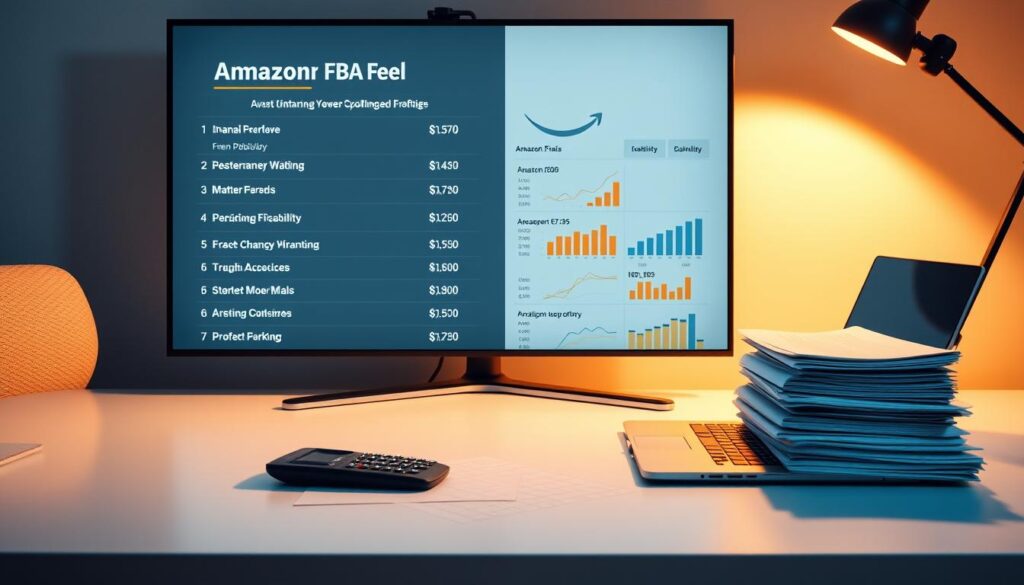
Start by mapping referral fee by category, fulfillment fees by size/weight tier, and seasonal storage fees. These line items change your break-even price quickly.
Use a profitability calculator that adds COGS, inbound shipping, packaging, returns, and ad spend. That gives a realistic contribution margin at your target price.
Size tiers, seasonality, and supplier fixes
Watch size-tier thresholds. A small change in dimensions can raise fulfillment fees dramatically. Confirm packaging specs before finalizing a listing.
Build seasonal assumptions into your model. Expect higher storage in Q4 and more returns after holidays. Plan reorders to avoid aged inventory charges at fulfillment centers.
Actionable checks sellers should run weekly
- Reconcile settlement reports against your model to catch surprise fees.
- Track price elasticity to see if a small price rise offsets cost increases.
- Work with suppliers to adjust cartonization and lower dimensional weight.
| Fee Type | What to Include | Action |
|---|---|---|
| Referral fee | Category percentage per sale | Confirm category and fee rate pre-listing |
| Fulfillment fee | Weight, dimensions, and pick/pack charges | Test packaging and measure dimensional weight |
| Storage fees | Monthly and long-term seasonal surcharges | Forecast Q4 volume and schedule removals |
| Inbound & shipping | Carrier costs and prep fees | Use partnered carriers and inspect cartons |
Strong margin discipline lets you fund ads, coupons, and promotions without losing profit. Use seller central reports to update pricing rules and protect profitability.
Prepping, Packaging, and Shipping Products into Fulfillment Centers
Proper prep and packing stop simple errors from turning into delays. Follow clear rules for each product so items arrive sale‑ready and pass inspection quickly.

FBA prep standards for items and cartons
Follow the network’s prep standards for poly‑bags, bubble wrap, and suffocation warnings to avoid check‑in delays and damage.
Standardize inner packs and carton counts so suppliers pack to spec and you reduce rework when shipments arrive.
Add scannable labels and clear SKU identifiers on every product to speed receiving and prevent misplacements.
Creating shipments and lowering costs with partnered carriers
Use the shipment creation workflow to pick partnered carriers and consolidate boxes where it makes sense.
Ship with the partnered carrier program — shipping can cost up to 70% less per unit than premium alternatives, and new sellers can apply a $100 inbound credit on their first shipment.
- Confirm carton dimensions to avoid dimensional‑weight surprises.
- Test cartonization: fewer heavy boxes vs. more light boxes to find the best landed cost.
- Store SOPs and packing photos so suppliers repeat the same proven prep steps on reorders.
“Every small improvement in packaging and shipping compounds into smoother check‑ins, fewer returns, and healthier margins.”
| Action | Why it matters | Quick tip |
|---|---|---|
| Labeling | Speeds receiving | Use scannable SKU labels |
| Carton dims | Avoids weight surcharges | Measure before booking carrier |
| Timing | Prepares stock for peaks | Land before promos or seasonality |
Listing Optimization That Drives Sales
A sharp listing converts browsers into buyers by matching search intent to clear product benefits.
Start with keywords. Build a list that mixes high-volume main terms and specific long-tail phrases. This helps each product capture ready-to-buy traffic and reduces wasted ad spend.
Make titles, bullets, and images work together
Front-load titles with the primary keyword and one clear benefit. Keep them scannable so customers read the promise at a glance.
Write bullets that answer FAQ and highlight top features. Use short lines that focus on outcomes customers care about.

Visuals and A+ Content
Use crisp product shots, lifestyle images, and a simple infographic that handles common objections. Good visuals reduce returns and lift conversion.
Add A+ Content to tell your brand story, reinforce features, and increase time-on-page. That often moves the needle on sales.
Price, promotions, and backend health
Align price with perceived value and test coupons to nudge hesitant buyers without killing your price anchor. Small, timed promotions can boost rank and trigger organic sales.
Optimize backend keywords, attributes, and category selection in Seller Central to improve indexation. Track CTR and conversion by term and adjust the list monthly.
| Area | Action | Why it matters | Quick tip |
|---|---|---|---|
| Keywords | Blend main terms + long-tail | Captures high-intent shoppers | Update monthly from search terms |
| Titles & bullets | Front-load benefits and keywords | Improves scan-to-buy flow | Keep bullets under 80 characters |
| Images & A+ | Use lifestyle + infographics | Answers objections and builds trust | Highlight sizing and setup visually |
| Pricing & promos | Test coupons, align price to value | Drives conversions without long-term discounting | Use short coupon windows |
Amazon Ads: Launch, Scale, and Control Costs
A small, focused ad plan can turn early clicks into steady sales without blowing your budget.

Use your new-seller credit to build tightly themed Sponsored Products campaigns that mirror each product’s main keywords and top benefits.
Sponsored Products setup using your new-seller ad credit
Start with the $1,000 ad credit on Sponsored Products to run both automatic and exact-match campaigns side by side.
Let automatic campaigns surface real search terms. Then move winning terms into exact and phrase campaigns for control and lower cost.
Campaign structure, bidding, and search term optimization
- Structure by product and theme: one campaign per product family to see which products win.
- Set conservative daily budgets and bids while you validate conversion rates and price sensitivity.
- Use negative keywords to cut wasted spend and funnel budget to searches that convert.
Measuring impact when small businesses see 30% sales attributed to ads
Many small businesses reported roughly 30% of sales came from ads in 2022. Expect a meaningful portion of sales to be ad-driven and plan inventory accordingly.
Track CPC, CTR, and conversion to judge ad efficiency. If a search term converts profitably, increase bids. If not, prune it.
Rotate creatives and test main image tweaks to boost CTR without changing the product. Keep a weekly cadence for bid adjustments and search-term pruning so your costs stay in line as you scale.
For related tactics on selling and affiliate setups, see affiliate marketing for dummies.
Protect and Grow Your Brand With Brand Registry
A registered brand gives you tools to fight counterfeit listings and keep product pages accurate. Enrolling is free and it unlocks protection tools that help you defend IP, reduce unauthorized edits, and keep your catalog clean.

IP protection tools and eligibility
Register trademarks early. That prevents strangers from changing titles, images, or bullet points for your products. It also makes removal of imitation listings faster.
Enhanced content and brand-building benefits
Use A+ Content, Brand Story, and a branded storefront to lift conversion and build trust with customers. Brand analytics reveal related keywords and product pairs to inform bundling and upsell tests.
- Monitor brand health dashboards to spot suppressed variations, buy box issues, or content changes.
- Coordinate store promotions with Sponsored Brands to amplify launches and seasonal sales.
- Keep trademarks, invoices, and authorizations organized to act fast on infringement.
| Feature | Benefit | Who uses it | Quick action |
|---|---|---|---|
| IP Removal Tools | Faster counterfeit takedowns | Brand owners | Submit claims with docs |
| A+ Content | Higher conversion | Product managers | Create consistent templates |
| Brand Analytics | Keyword & bundle insights | Marketing teams | Test bundles & promos |
| Health Dashboard | Alert on listing issues | Sellers | Resolve suppressions fast |
“Strong brand control supports higher prices, better reviews, and sustainable growth.”
Inventory Management and Avoiding Excess Storage Costs
Plan reorder timing around sales trends to avoid both stockouts and excess storage.

Build a replenishment cadence that matches sales velocity, supplier lead time, and restock limits. This keeps products available without creating unnecessary storage fees.
Replenishment cadence and restock limits
Set reorder points per SKU and review them weekly. Tie orders to forecasted promotions and peak seasons so inbound shipments arrive at fulfillment centers when demand peaks.
Share simple weekly inventory snapshots with your team to align ad spend, reorder timing, and catalog changes.
Reducing aged inventory and long-term storage fees
Watch aged-inventory metrics and act before long-term storage charges apply. Plan removals or discounts to clear slow items and free space for better sellers.
Leverage programs like the New Selection auto-enrollment when eligible to get free storage and customer returns while testing product-market fit.
| Action | Why it matters | Quick tip |
|---|---|---|
| Reorder cadence | Prevents stockouts and overstock | Use sales velocity + lead time |
| Segment SKUs | Prioritizes proven products | Accelerate winners, throttle slow movers |
| Inbound checks | Avoids discrepancies & excess storage | Reconcile units on receipt |
Tactical moves: tie price changes to inventory position, improve cartonization to lower inbound cost, and keep a weekly cadence to protect margin and reduce amazon fees exposure.
Delivering Great Customer Service Through Amazon Fulfillment
Fast, reliable fulfillment turns returns and questions into trust-building moments for shoppers.

How returns and exchanges are handled
Using fulfillment services lets the network process returns and exchanges directly. With amazon fba, refunds and replacements follow a clear workflow that cuts response time.
Clear return policies on your listing set expectations and reduce confusion when a customer starts a return or exchange.
Keeping seller health metrics strong
Monitor order defect rate, late shipment rate, and contact response time every week. These metrics protect account standing and keep service stable for shoppers.
- Use friendly, templated responses for common questions.
- Escalate product-quality issues to support fast to limit repeated defects.
- Analyze return reasons monthly and update packaging, inserts, or images to prevent repeat problems.
| Area | Action | Why it matters |
|---|---|---|
| Returns & Exchanges | Use fulfillment portal workflows | Speeds resolution and keeps customers happy |
| Service Templates | Create friendly, solution-focused replies | Reduces response time and preserves ratings |
| Root Cause Analysis | Track return reasons monthly | Fix product or packing issues and lower costs |
Simple workflows for replacements and refunds make buyers feel cared for and protect your reputation. Treat each service touchpoint as a chance to turn a problem into a promoter.
For related guidance on trust and platform safety, see is TikTok Shop safe?
Scaling Your Amazon Business With Data
Treat metrics as a roadmap: they show where to invest and where to stop. Use reports to find weak spots in a list and to back profitable moves.

Using reports in Seller Central to optimize listings and ads
Open seller central business reports and search term reports first. They reveal where a product loses clicks or fails to convert.
Fix the highest-impact issues—update images, titles, or bullets that lower CTR. Tie ad spend to contribution margin targets so you scale only when CPC supports profit.
- Compare sales and inventory to time promotions when stock is healthy.
- Track price tests, review velocity, and unit economics in dashboards.
Testing bundles, variations, and new products
Run structured tests for images, bullets, and variations. Measure CTR and conversion before rolling changes to other products.
Try bundles and variations to raise average order value and capture extra search terms without creating duplicate listings. Use supplier lead times to plan launches and avoid stockouts during promos.
- Document winners and losers in a central list to repeat successful patterns.
- Compare fba fbm performance during peaks and shift routes for stability if needed.
Treat data as your operating system—it tells you what to improve, pause, or double down on next.
Common Mistakes FBA Sellers Make and How to Avoid Them
Many sellers lose profit by skipping a simple fee audit before launch.
Don’t underestimate fees. Model every fee line item before you order inventory and update that model after your first settlement. This keeps your price realistic and protects margin.
Avoid overstocking. Anchor initial orders to conservative sales forecasts until listings and ads prove demand. Monitor inventory age weekly and use price or coupons to move slow product before storage fees spike.

Fix listings and ads early
Make sure your main image, title, and bullets are polished. Weak listing quality forces higher ad spend to maintain visibility.
Keep ad structures simple and prune broad, bloated campaigns. Focus on exact and phrase matches for terms that convert.
Operational checks that save money
- Audit dimensions and weight after repackaging to avoid a higher fee tier.
- Track contribution margin by SKU so you spot products that turn unprofitable.
- Review your fba fbm mix during peaks; shift units if FBM lead times slip.
- Use returns data to fix packaging or instructions quickly.
“Small, regular audits beat big, painful surprises.”
| Common Mistake | Impact | Quick Fix | When to Act |
|---|---|---|---|
| Underestimated fees | Margin erosion | Run fee calculator + first settlement update | Before reorder |
| Overstock | Higher storage & cash tie-up | Order conservatively; monitor velocity | Weekly inventory review |
| Poor listing & ads | High ad costs, low conversion | Improve image/title/bullets; prune campaigns | During launch week |
| Ignored returns | Repeat defects & costs | Root-cause packaging fixes | Monthly |
Build a short post-launch checklist so sellers learn from misses and apply fixes on the next product launch immediately. For other channels and tactics to grow sales, see how to sell on Facebook.
Conclusion
Use these steps to build repeatable launches that scale products into profitable lines. This guide pairs infrastructure with a clear process so sellers can focus on wins and avoid common mistakes. I mention amazon fba once to tie operations to fulfillment options.
Make sure each product passes a strict profit test that includes fees, ads, and seasonal storage. Keep packaging, labels, and shipment timing simple so customers get dependable orders.
Use incentives, strong listings, and focused ads to seed momentum. Track weekly pricing, inventory, and search terms so you correct course before small issues grow and you can sell amazon at scale.
Document what works, build SOPs, and stay disciplined and customer-focused. Do this and you will make money while expanding products and building a durable business.
FAQ
What is Fulfillment by Amazon and why should I consider it now?
How does fulfillment work day-to-day?
Should I use fulfillment service or ship items myself (FBM) or run a hybrid model?
How do costs and control differ between managed fulfillment and merchant fulfillment?
Which seller account should I pick: Individual or Professional?
What compliance steps should I take before listing products?
What new-seller incentives can I use to lower startup costs?
How do I validate demand and ensure a product will be profitable?
What are the main fees that affect true profitability?
How should I prep and label products before sending them to fulfillment centers?
What listing elements have the biggest impact on conversions?
How can I use ads effectively without overspending?
What benefits does Brand Registry provide?
How do I avoid long-term storage fees and aged inventory?
How are returns handled and how do they affect my seller metrics?
What reports should I use to scale with data?
What common mistakes should new sellers avoid?


